Create do it yourself headshots in minutes with generative AI
Not long ago, getting a professional-looking headshot meant you had two pretty frustrating options. You could either shell out a small fortune for a professional photographer or spend a whole afternoon trying to wrangle a camera, a wobbly tripod, and whatever lighting you could find at home.
Thankfully, that’s all in the past. Generative AI has completely flipped the script, letting you create headshots that look like they came straight from a studio, all without leaving your house. For example, if you need a last-minute headshot for a press release, you can generate hundreds of options in under an hour, choosing the perfect one instantly. It’s a modern fix that skips the old headaches and delivers professional quality and variety fast, without the high price tag.
The Old Way of DIY Headshots Is Officially Outdated
In a world where your online profile is often the first impression you make, a great headshot isn't just a bonus—it's a necessity. For years, the only "free" option was a tedious and often disappointing photography session with your smartphone. This usually involved a precarious stack of books holding up your phone, a frantic dash to get into position before the ten-second timer went off, and a silent prayer that the light from the window wouldn't make you look like a phantom.

This whole process was packed with common frustrations that, more often than not, led to amateur-looking results. It was a huge time sink for maybe one or two usable photos. In contrast, our AI solution allows a busy professional to upload a few casual selfies during their lunch break and have a full portfolio of studio-quality headshots ready before they finish their coffee.
Transform Your Professional Image
Get stunning AI-generated professional headshots in under an hour. Upload regular selfies or group photos, choose from over 100 styles and we'll create hundreds of perfect shots that represent your best self.
Why Traditional DIY Photography Just Doesn't Cut It
The real problem with the old-school DIY photography approach is the sheer number of things you have to get right all at once. From the background to your expression, the odds are just stacked against you when you're going it alone. Generative AI eliminates these variables entirely, making professional results accessible to everyone.
Here were the usual culprits of old-school methods:
- Terrible Lighting: Relying on a desk lamp or direct sun almost always results in harsh shadows, blown-out highlights, or weird color tints.
- Awkward Posing: It’s hard to look natural and confident when you’re your own photographer. Self-timed shots often come out looking stiff and uncomfortable.
- Distracting Backgrounds: Your messy living room or a boring, flat wall does nothing to enhance your professional image.
- Inconsistent Quality: Juggling focus, framing, and your pose all by yourself is a recipe for blurry, poorly composed photos.
Enter a Smarter, Simpler Solution
The professional headshot market was a massive $2.5 billion industry in 2023, but AI is changing the game fast. Our solution is a prime example of this shift, offering an affordable, high-quality alternative for entrepreneurs, freelancers, and professionals who need to look sharp without breaking the bank.
This is exactly where our AI comes in, making all those old struggles a thing of the past. It takes the guesswork, expensive gear, and frustration out of the equation, delivering a whole portfolio of perfect headshots in just a few minutes.
Traditional DIY Photography vs Our AI-Powered Headshots
See how the old way of taking your own headshots stacks up against a modern AI solution across the factors that matter most.
Ultimately, while the traditional DIY method costs nothing upfront, the time, effort, and often mediocre results make it a poor investment. Our AI generator delivers professional-grade headshots effortlessly, giving you a far better return for a minimal cost.
How AI Creates a Professional Portrait Out of Thin Air
This is where the real magic happens. Forget what you know about taking a photo and cleaning it up later. We're talking about something entirely different: generative AI, where your ideal headshot is literally built from scratch.
It all starts with you. You're not trying to nail one perfect, awkward shot in your living room. Instead, you just grab a handful of your favorite everyday photos—clear selfies, a good picture from a wedding, even a relaxed vacation snap. Our AI model takes it from there.
It meticulously studies these photos, learning every detail of your face—from its underlying structure to your unique expressions—until it has a deep understanding of what makes you, you.
From Casual Selfies to Studio-Grade Portraits
Once the AI has learned your likeness, it doesn't just slap a filter on one of your pictures. It creates dozens of brand-new, completely photorealistic portraits. That's the key distinction here: this isn't editing, it's creation.
This means you can suddenly see yourself in all sorts of professional settings you never actually posed for. For example, a real estate agent could generate a headshot in a business suit in front of a modern office building, and another in a casual blazer against a warm, inviting home interior—all from the same set of vacation photos, all within minutes.
- Professional Wardrobe: Instantly swap your t-shirt for a sharp business suit or a classic blazer, ready for LinkedIn.
- Polished Backgrounds: Trade your messy home office for a sleek, modern corporate backdrop or a simple studio gray.
- Different Personas: Get options ranging from a powerful, confident CEO to an approachable, creative professional—all from the same set of casual photos.
The biggest win is the sheer speed and convenience. Say you need a new headshot for a last-minute speaking gig tomorrow. With our solution, you can have a full gallery of high-quality options ready in less than an hour. If you want to get into the nitty-gritty, explore our guide on how to use AI for professional headshots.
The Tech Behind Your New Look
This is more than just a cool feature; it's a huge step forward. Using generative AI for portraits is a trend that's quickly reshaping the entire headshot industry. As the tech gets even better, it’s poised to become the standard for professionals everywhere.
Ultimately, our process gives you total control. You’re no longer held back by your camera skills, your available wardrobe, or the room you happen to be in. You just provide the raw material, and our AI delivers a portfolio of polished, professional portraits perfectly suited to your needs. It's the ultimate tool for anyone who needs quality and speed without compromise.
Creating Your First AI Headshot Portfolio
Jumping into the world of AI-generated portraits can sound technical, but our solution makes it surprisingly straightforward. Creating stunning do it yourself headshots has nothing to do with mastering complicated software. The process is designed to give you a ton of control with very little effort. Say goodbye to the stress and hassle of a traditional photoshoot—here, you can get that polished, professional look in just a few minutes.
When you decide to build your first AI headshot portfolio, you’ll be working with an AI-powered studio platform to create and perfect your images. The whole experience is built around a simple interface that walks you through everything. You don't need to know the first thing about photography; all you need are a handful of your favorite casual photos to get the ball rolling.
The Simple Path to a Professional Image
The entire process boils down to just three main stages, taking you from uploading your photos to browsing a full gallery of incredible options. It's designed to be fast and easy for anyone.
This diagram shows just how seamless it is: you upload your source images, the AI model learns your unique features, and then it gets to work generating your new headshots.
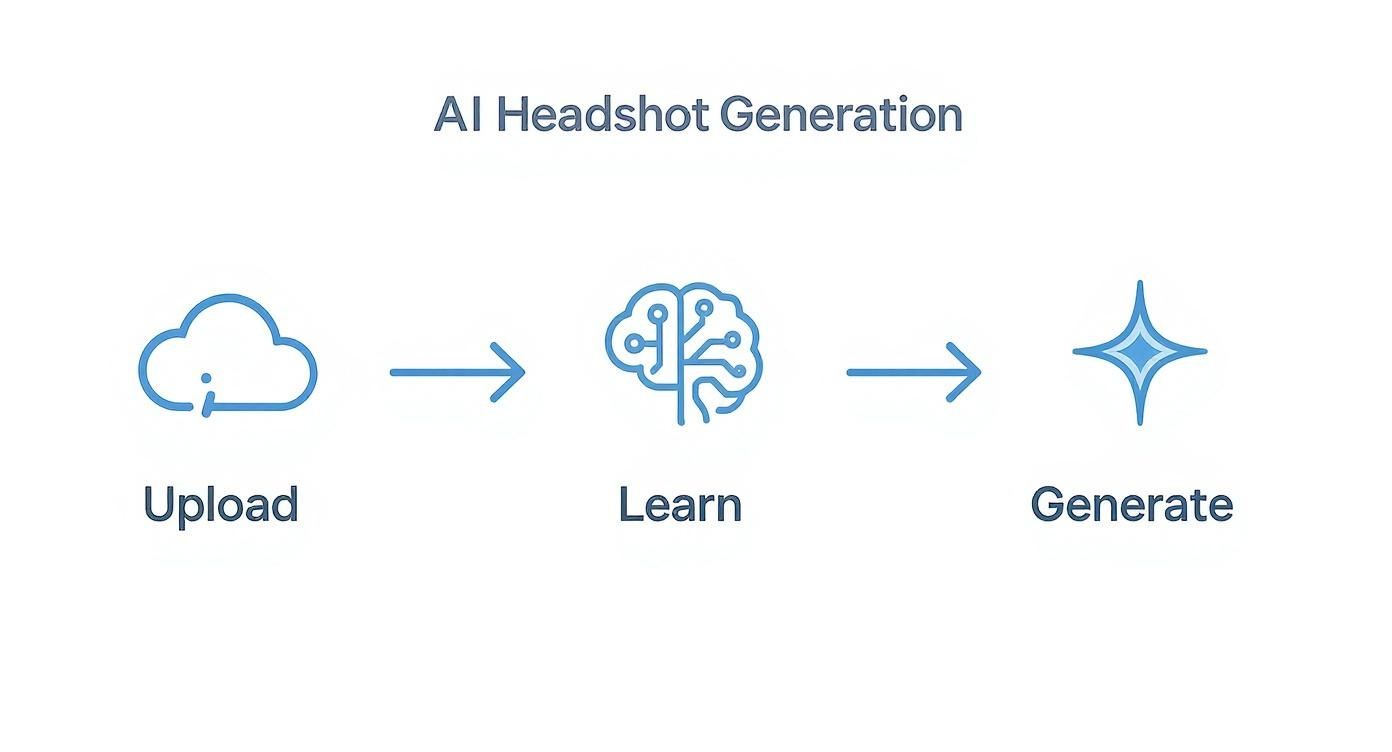
Each step is designed to be quick and simple, turning a process that used to take days into something you can finish in under an hour.
The first step is arguably the most important: giving the AI good reference material to work with. This is where you upload a small batch of your existing photos. Our platform makes it easy, letting you grab images right from your device without any fuss. The uploader is designed to be fast and intuitive, getting you to the fun, creative part as quickly as possible.
Choosing Styles That Match Your Brand
Once your photos are uploaded, the creative control is all yours. This is where you get to decide the exact look and feel of your final headshots. Instead of being stuck with one outfit and one background, you get to play with a whole catalog of professional styles and personas.
You can pick from a wide variety of pre-designed styles that fit your professional identity. These aren't just simple filters; they're complete aesthetic packages that control everything—the wardrobe, the background, the lighting, and the overall vibe of the final shot.
- Corporate Boardroom: A perfect fit for executives and consultants who need a powerful, authoritative look. This style usually puts you in a sharp business suit against a sleek office or a classic studio backdrop.
- Approachable Creative: This one’s great for designers, marketers, and artists. Think casual blazers, open-collar shirts, and soft, natural lighting against an artistic or minimalist background.
- Casual Tech Founder: A go-to choice for entrepreneurs and innovators. This style creates a relaxed yet confident vibe, often featuring stylish sweaters or jackets in a more informal, modern setting.
This level of customization puts you in the driver's seat, ensuring your final headshots are a perfect reflection of your personal brand. Our intuitive platform makes browsing and selecting styles that click with you a breeze, making the entire do it yourself headshots process not just fast, but genuinely fun.
Selecting The Best Photos To Train The AI
The quality of your AI-generated do it yourself headshots comes down to one simple thing: the photos you give it. Think of it like this—you wouldn't ask a painter to create a masterpiece from a blurry, dark reference photo, right? The same logic applies here. Better inputs lead to stunningly realistic and accurate final portraits.
Our goal is to give the AI a complete, 360-degree understanding of your facial features. The good news? You don't need professional photos for this. In fact, your everyday casual pictures are often the secret ingredient. Clarity and variety are what matter most, giving our tech what it needs to generate flawless headshots for you in minutes.

What Makes a Great Input Photo
To get fantastic results right away, focus on feeding the AI a diverse set of images. The sweet spot is around 10 to 15 photos. This gives our AI plenty of data to learn your unique features without getting confused.
For an even deeper dive, our article on how to take a professional headshot at home has tons of tips that are just as useful for picking out your AI training photos.
Follow this simple checklist when selecting your photos to ensure our AI has everything it needs to generate top-tier headshots.
Input Photo Checklist For Best AI Results
The key takeaway is that variety is your best friend. By uploading that selfie from your car, a picture from a friend's wedding, and a shot from your last vacation, you give our AI the rich, diverse data it needs to produce studio-quality headshots that actually look like you.
Photos You Should Absolutely Avoid
Knowing what not to upload is just as crucial. Feeding the AI the wrong kinds of photos is the number one reason for distorted or inaccurate results. It really is a classic case of "garbage in, garbage out," but we make it easy to sidestep these common pitfalls.
Make sure you steer clear of these:
- Anything Blocking Your Face: This seems obvious, but it’s a frequent mistake. Sunglasses, hats, face masks, or even a hand resting on your chin can throw the AI off.
- Low-Light or Shadowy Photos: Dark, grainy pictures are a no-go. The same goes for photos with harsh shadows striping across your face—the AI can't see what isn't there.
- Identical Poses: Don't upload 10 photos of you with the exact same smile in the same spot. Each photo needs to provide new visual information. Remember: variety is king.
Following these simple guidelines sets our AI up for success, ensuring you get a portfolio of professional, high-quality headshots in record time.
Customize Your Look Without A Wardrobe Change
One of the coolest things about using generative AI for your headshots is the sheer freedom it gives you. Forget about the biggest headache of traditional do it yourself headshots: digging through your closet for the perfect outfit. With our solution, you no longer need an armload of clothes to create a varied, professional portfolio.
You can generate an entire gallery of looks without ever owning a suit or stepping foot in a studio.
Think about it. A job seeker can instantly create a sharp, polished portrait in a power suit for their corporate bio. Minutes later, they could decide they want another version in a casual crewneck sweater with an outdoor feel for their personal brand’s website. You get both, plus dozens of other options, all from the same small batch of selfies you uploaded.

A Style for Every Professional Need
The real game-changer here is building a complete visual identity in minutes, not weeks. Instead of booking multiple photoshoots to capture your "corporate look" versus your "creative look," our AI does all the heavy lifting in one shot. From a single upload, you get a full portfolio to pull from.
You can instantly generate images that perfectly fit specific professional contexts:
- For the Corporate World: Go for a style that puts you in a classic business suit or blazer, maybe against a clean, modern office background. This is your go-to for LinkedIn or the company directory.
- For Creative Industries: Opt for something more relaxed. A stylish sweater or a casual button-down with softer, more artistic lighting can make a huge difference.
- For Personal Branding: Try experimenting with outdoor settings or warm, inviting indoor spaces. These create a more approachable and authentic vibe for your personal site or social media channels.
This kind of flexibility means you always have the right image ready for any opportunity that comes your way.
Beyond Clothing to Total Scene Control
The customization doesn't just stop with your wardrobe. The AI also generates a whole host of backgrounds to match whatever style you've picked. This means you can get that classic studio-quality portrait with a simple gray background, a shot that looks like it was taken in a high-rise office, or one with a beautifully blurred outdoor scene.
You get total control over the entire aesthetic, from the shirt on your back to the environment you're in. And for those of us who like to fine-tune things even further, you can easily learn how to change background color and make other tweaks to get your final images just right. It’s this combination of speed, variety, and control that makes getting a professional result faster and easier than ever.
Nailing the Final Details & Sidestepping Common Hiccups
Even with a powerful AI creating your do it yourself headshots, the first results might be almost perfect. You might get an image that's 99% of the way there but needs one tiny nudge to become flawless. This is where you, the human, come in to add that final touch of direction.
Don't worry, this isn't like trying to fix a blurry photo from a real camera. Instead of wrestling with complicated editing software, you're simply guiding the AI to get it right. You might spot a small digital artifact, like a weird texture on a lapel, or an expression that's just a little too serious. Our platform makes these easy to fix.
Quick Fixes for Picture-Perfect Results
The beauty of our process is that you’re always in the driver’s seat. The platform is designed to make these little refinements feel less like a technical chore and more like a creative choice.
Here are a few real-world examples of how to handle those near-misses:
- Tweaking an Expression: Love the shot but the smile isn't quite hitting the mark? Maybe it’s a bit too wide or not warm enough. Just re-generate that specific image. Our AI will produce a new variation, often giving you that subtle difference that makes all the difference.
- Correcting Wardrobe Quirks: Sometimes the AI might render a collar that looks a little off or a tie knot that isn't quite right. The fix is simple: just regenerate. A new version will almost always correct these minor imperfections.
- Eliminating Minor Glitches: While rare, you might occasionally see a small visual artifact, like a misshapen earring or an odd pattern in the background. The fastest way to solve this? Simply re-run that generation. Our AI almost always corrects these little blips on the next go-around.
Why This Puts You in Control
This is the fundamental difference between modern AI headshots and trying to do it all yourself with a camera. If you took a traditional photo and noticed a weird shadow or an awkward expression only after you packed everything away, you'd be facing a complete reshoot. More time, more setup, more headaches.
Here, you can fine-tune your results with a few clicks. It’s a fast, iterative process that encourages you to experiment until you get exactly what you want. By directly addressing any small issues, you can move from a set of "good" headshots to a portfolio that feels polished, professional, and genuinely you.
Got Questions? We've Got Answers
If you're curious about how AI headshots work, you're not alone. Let's tackle some of the most common questions people have before they dive in, so you can get started and see just how great your new photos can be.
How Many Photos Do I Need to Upload?
For the best results, aim for 10-15 clear photos of yourself. The key here isn't just quantity, but variety.
Think of it like giving our AI a complete 3D model of your face. The more angles, expressions, and lighting scenarios you provide, the better it understands your unique features. This is what allows the AI to generate headshots that look genuinely like you.
A quick tip: try to avoid pictures with sunglasses, hats, or other people. The cleaner the input, the more stunning the output.
Are These Headshots Really Good Enough for LinkedIn?
Absolutely. In fact, that's exactly what they're designed for. Our AI is trained to create high-end, studio-quality portraits that look right at home on LinkedIn, company websites, or your speaker bio.
You get to choose from different professional outfits and classic, corporate-style backgrounds. This ensures your final image isn't just good—it's polished, appropriate, and projects the exact professional image you want.
How Long Until I Get My Headshots?
This is the best part: it's incredibly fast. Once you've uploaded your photos and picked the styles you like, our AI gets to work. You'll typically have a full gallery of finished headshots ready in under an hour.
Compare that to a traditional photoshoot. You have to schedule it, go to the studio, do the shoot, and then wait days—sometimes weeks—for the edited photos. Our solution delivers that professional quality almost instantly, giving you a whole portfolio of options right when you need them.