Professional Photos for Social Media: A 2026 Guide
LinkedIn's own guidance says profiles with a photo receive 21 times more profile views, 9 times more connection requests, and up to 36 times more messages than profiles without one. That changes the brief. Professional photos for social media aren't decoration, they're an entry point to your reputation, your network, and your next opportunity. (LinkedIn profile photo data and context)
The smart move in 2026 is to stop treating your profile image as one isolated deliverable. Generate a coherent library of portraits, then adapt the lighting, clothing, crop, and expression for each platform. With an AI headshot workflow, you can turn a small upload into a reusable visual system without booking a studio, coordinating schedules, or rebuilding the process every time your brand changes.
Why a Strong Social Photo Matters More Than Ever
A blank avatar creates friction before anyone reads your bio. A casual selfie can create the wrong impression before a recruiter, buyer, journalist, or potential collaborator has enough context to understand your work. A polished portrait gives people a clear visual signal: this person is active, reachable, and intentional about how they show up.
LinkedIn has also reiterated that people can form an opinion from a photo in as little as 50 milliseconds, according to the guidance summarized by Passport Photo's review of LinkedIn profile pictures. That first impression doesn't decide everything, but it does influence whether someone pauses, clicks, or moves on. Recruiters often scan profiles quickly, and the photo is one of the first elements they process.
Transform Your Professional Image
Get stunning AI-generated professional headshots in under an hour. Upload regular selfies or group photos, choose from over 100 styles and we'll create hundreds of perfect shots that represent your best self.
Build an image system, not a single portrait
Start with one recognizable visual direction. Choose a background family, a wardrobe range, an expression style, and a lighting treatment that can survive across different platforms. Your LinkedIn portrait might be chest-up and restrained, while your Instagram version can feel warmer and more editorial. Your X avatar may need a cleaner, higher-contrast crop because the image appears small.
The same generated set can support:
- LinkedIn profiles and company directories, where clarity and trust matter most.
- Instagram profile images and posts, where expression and visual personality carry more weight.
- X avatars and header artwork, where strong contrast helps the face remain readable.
- Podcast guest pages, conference bios, and speaker profiles, where you need a polished image without requesting another shoot.
- Personal websites and campaign pages, where several coordinated portraits make the brand feel established.
A useful social media branding guide can help you decide which visual cues should remain consistent across those channels. The shortcut is to generate the variations together, rather than creating disconnected images whenever a new platform asks for one.
AI headshot generators are particularly useful here because they separate the input from the output. You provide a small collection of personal photos, then select professional directions that fit your work. The result is an asset library you can sort, crop, update, and reuse.
Traditional Shoots vs AI Headshot Workflows
A traditional shoot still has a place. It can be the right choice for a campaign with a specific location, a team that needs live direction, or a brand that depends on highly controlled physical sets. But for routine professional photos for social media, the traditional process often creates more coordination than the job requires.
You need to find a photographer, agree on a date, travel to the location, prepare clothing, manage the session, review retouched selections, and repeat the process when your appearance or positioning changes. The final images may look excellent, but they're tied to one day, one wardrobe selection, and one visual interpretation of your brand.
An AI workflow compresses that decision into a repeatable system. Upload personal photos, select the desired direction, review the generated set, and keep the images that represent you accurately. Tools such as Canva describe a selfie-to-profile-shot workflow, while AI headshot platforms also support variations designed for professional and social use. (Canva's LinkedIn profile picture workflow)
The practical choice for solo professionals
Choose a traditional shoot when the shoot itself is part of the creative product. Choose AI when the requirement is speed, variation, and repeatability. A consultant who needs a LinkedIn portrait, a speaker image, and a website biography photo doesn't necessarily need three production concepts. They need one credible visual identity adapted to several placements.
For a deeper cost comparison before choosing a route, review how much a photoshoot costs. The key question isn't whether a camera session can produce a good image. It can. The question is whether that session gives you enough adaptable material for the way you typically publish.
How to Generate Professional Headshots from a Few Selfies
The quality of an AI portrait begins with the input set. Don't upload one rushed selfie and expect the system to understand your face, proportions, hair, and expressions from every angle. Give it a varied group of clear personal photos, then remove anything that could confuse the result.
Start with clean source material
Select well-lit selfies and personal portraits with different angles and expressions. Use a plain wall or uncluttered setting when possible. Remove sunglasses, extreme filters, group photos, images with faces partly hidden, and shots where glare obscures your eyes.
You don't need a studio setup. Face a window or use soft front-facing light. Keep the camera around chin or eye level, and avoid a dramatic low angle. The practical guidance in Indeed's professional headshot guide emphasizes readable lighting, simple backgrounds, and multiple variations because small changes in pose and expression can affect the final selection.
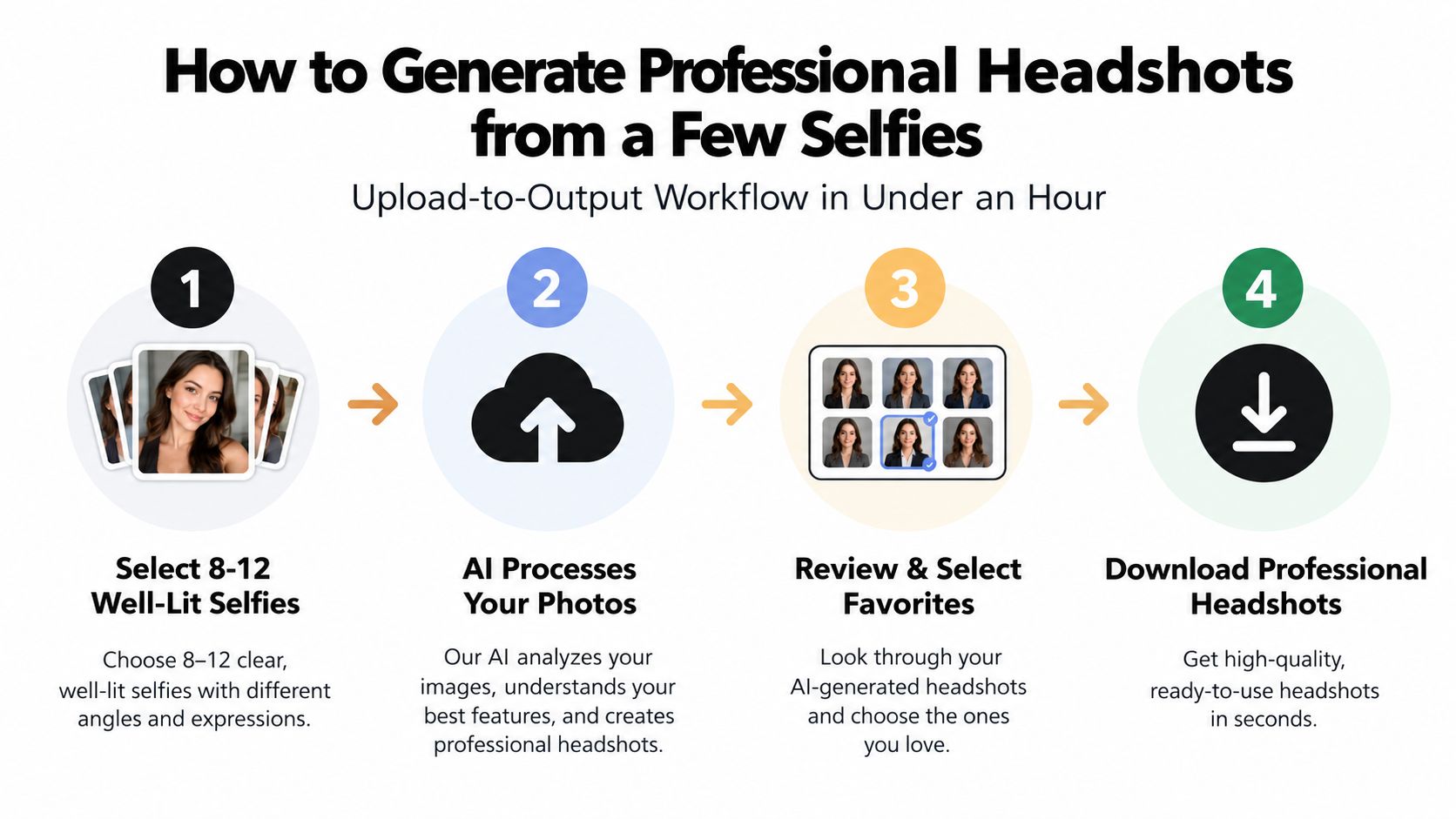
Use this upload-to-output workflow
- Audit your inputs. Keep the clearest photos that show your whole face, natural skin tone, hairline, and usual features. Variety helps the system distinguish your identity from one fixed pose.
- Choose the brand direction. Select a corporate, creative, lifestyle, actor, or industry-specific style based on where the portraits will appear. Pick wardrobe and background choices that match the impression you want clients or employers to receive.
- Generate a broad set. Let the platform create several options rather than approving the first acceptable image. Look for stable facial identity, believable hands and clothing, natural skin texture, and backgrounds that don't compete with your face.
- Review for likeness. Reject images that look too polished, too generic, or unlike the way you appear in real life. The most useful image is credible before it is impressive.
- Sort by use. Keep square crops for profile placements, vertical portraits for Stories and portrait posts, and wide compositions for banners or website headers. Export high-resolution files so you can crop without damaging facial clarity.
Secta Labs is one example of an AI portrait platform that lets users upload personal photos, choose from professional style directions, and generate a larger collection of headshots and portraits for social and professional profiles.
Keep the library searchable
Use a naming system that describes the platform and purpose, such as linkedin-neutral-blue-01 or instagram-warm-portrait-02. Store original exports separately from cropped versions, and keep a backup in a location your team can access if the images support company pages or shared campaigns.
Posing, Expressions, and Framing for Each Platform
AI generation gives you options, but selection is still a creative decision. Don't choose the portrait with the most dramatic lighting just because it looks impressive at full size. Choose the one that remains readable at thumbnail size and communicates the right balance of confidence, warmth, and authority.
Keep the shoulders slightly angled rather than perfectly square. Place the eyes near the upper portion of the composition, leave enough breathing room for circular crops, and avoid hands or props that disappear awkwardly when the platform reduces the image. A subtle head tilt can add warmth, while a direct gaze usually creates stronger focus.
Match the expression to the social context
LinkedIn usually benefits from a composed expression, including a closed-mouth smile or relaxed confidence. Instagram can support more visible personality, such as a slight asymmetric smile or a candid-looking glance. X often rewards a direct, neutral gaze that stays legible inside a small avatar.
Large-scale photo-rating research summarized by PhotoFeeler's guide to profile photos found that visible teeth in a smile can increase likability, while sunglasses, glare, and shadows can reduce perceived competence and influence. Use that as a selection principle, not a rigid formula. A natural expression that fits your role is better than a forced smile that doesn't look like you.
Generate several expressions for each platform, then compare them at the size people will see. If you manage publishing for a founder or executive, resources on social media virtual assistants for business growth can help turn that image system into a consistent publishing workflow.
Editing Outfits, Backgrounds, and Lighting in Minutes
The most useful AI portrait editor doesn't just smooth skin. It lets you change the surrounding signals without changing the person at the center. That means you can keep one recognizable face while adapting the wardrobe, setting, and lighting to different professional contexts.
Start with the outfit. A blazer can support a consulting profile, a knit layer can make a founder portrait feel more approachable, and a clean casual shirt may suit a creative studio. Don't choose clothing because it looks fashionable in isolation. Choose it because it matches the expectations of the audience you're asking to trust you.
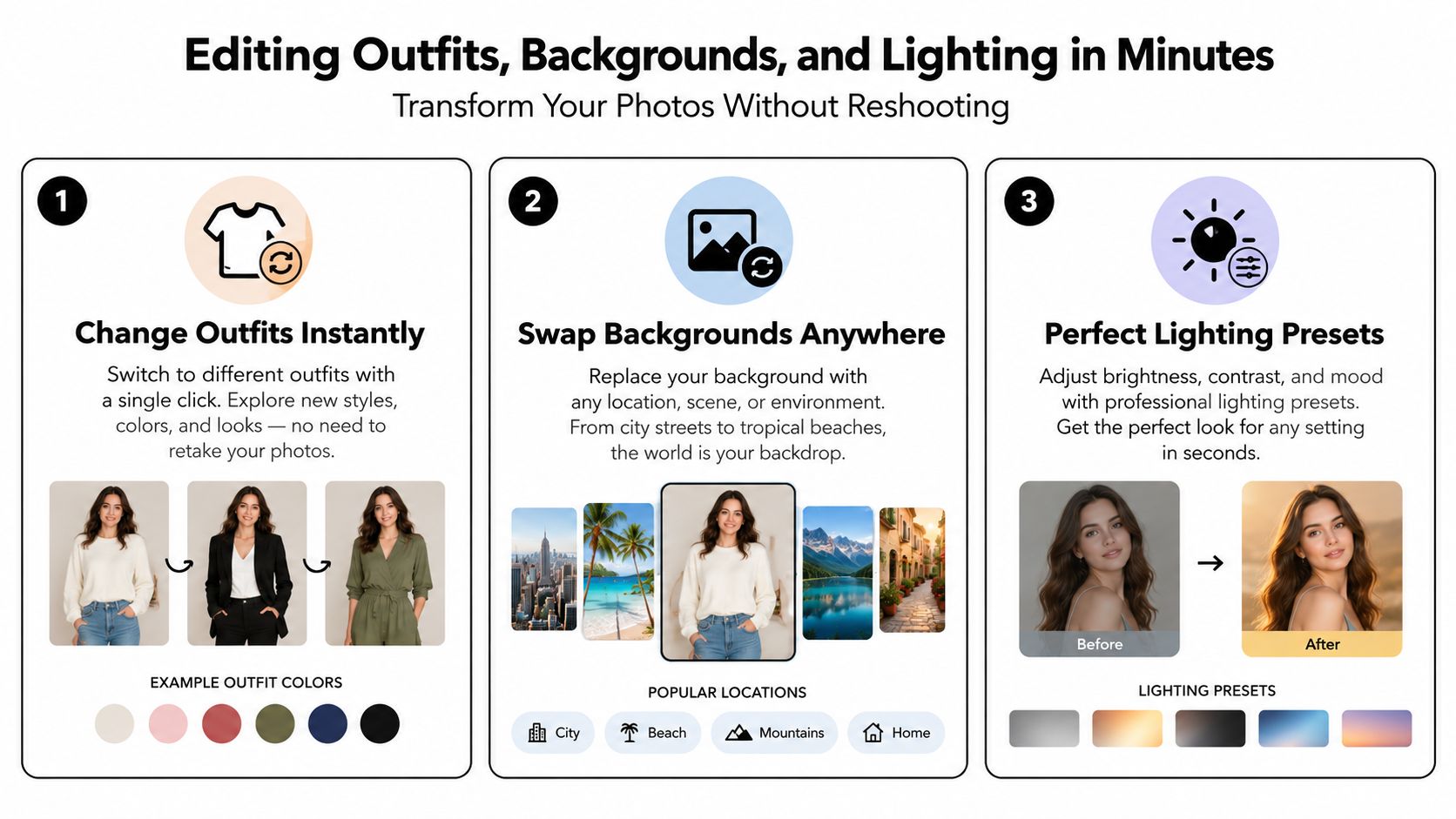
Make controlled changes, not random ones
Background swaps should support hierarchy. Use a restrained neutral background for LinkedIn, a setting with more character for a personal brand, and a clean color field when the image needs to sit beside text or graphic elements. A background shouldn't compete with your eyes, hair, or clothing.
Relighting is where many AI portraits either become useful or look artificial. Ask for soft, frontal illumination when the original selfie has harsh shadows. Keep the skin texture realistic, preserve natural tonal variation, and reject any output that makes the face look waxy or over-smoothed.
The strongest workflow applies one visual treatment across a batch. Use a consistent background family, comparable color balance, and similar framing for a team directory or company page. Corporate headshot guidance also emphasizes consistent backgrounds, framing, and color balance across a collection, as described in this guide to professional headshots.
Use this editing checklist
- Match brand colors carefully. If your brand uses specific hex codes, use them as restrained background or accent references rather than turning every portrait into a saturated graphic.
- Protect facial texture. Remove distracting blemishes, but don't erase the features that make the portrait believable.
- Review the eyes and hair. These areas reveal poor generation fastest, especially around reflections, strands, and edges.
- Export for different displays. Keep a high-resolution master and create smaller platform versions from that original.
- Compare the whole set together. A single portrait can look acceptable while the collection feels inconsistent.
Privacy, Ownership, and Authenticity You Can Stand Behind
AI portraits deserve a higher privacy standard than ordinary image editing because the input is your face. Before uploading, read the provider's policy instead of assuming every platform handles personal photos the same way.
Look for clear answers to four questions. Who owns the generated outputs? How long does the provider retain uploaded photos? Are images used to train public models? What security and deletion controls apply to the source files? If the policy doesn't answer those questions plainly, choose a provider that does.
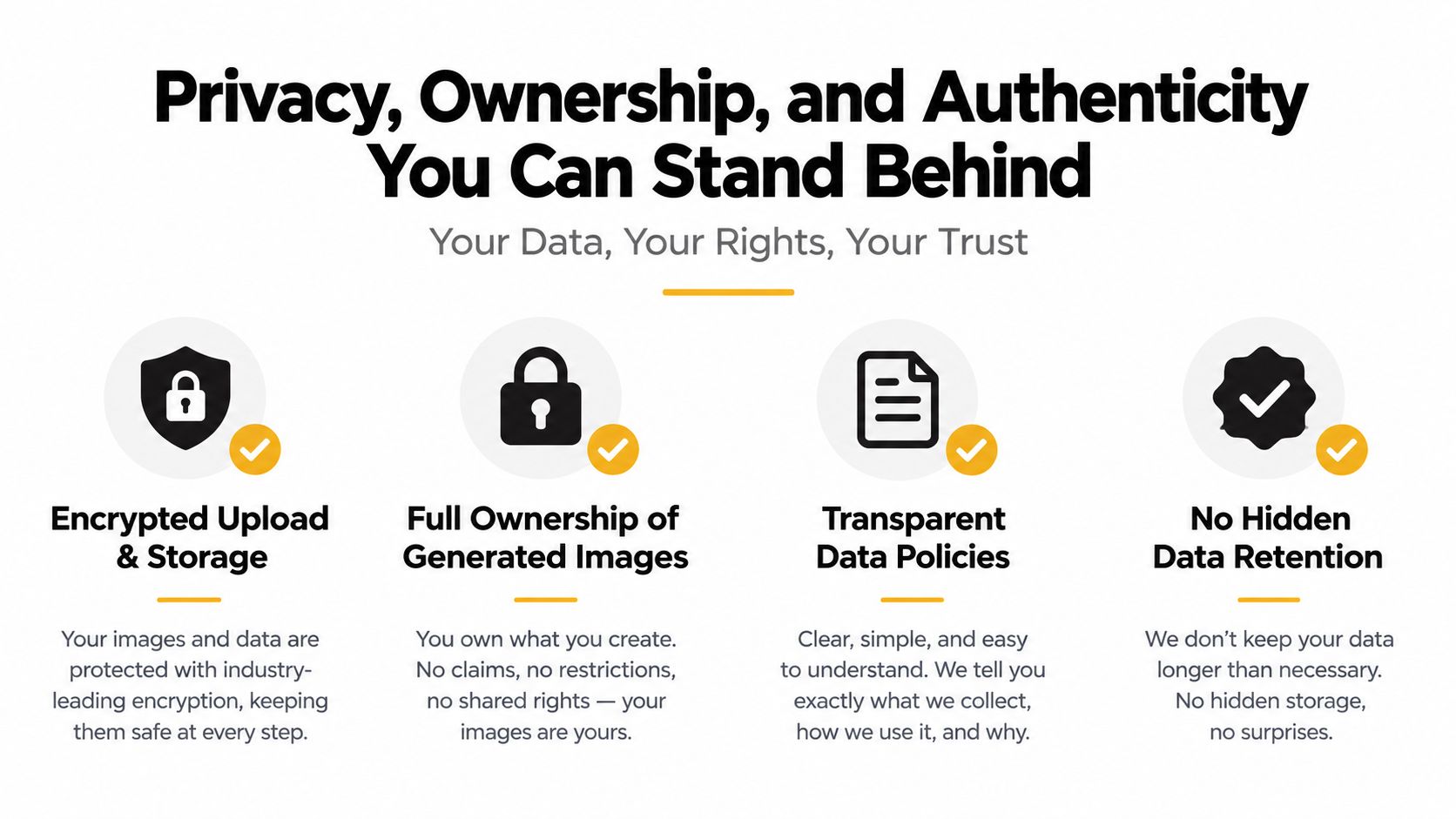
Keep the likeness honest
A professional image can be generated without becoming deceptive. Your portrait should still look like you, including your recognizable facial structure, age range, hair, and natural expression. Don't use an AI image to imply that you attended an event, visited a location, or participated in a candid moment when you didn't.
Disclosure depends on context. A polished profile portrait may not need a prominent label in every professional directory, but disclosure is sensible when the image could be mistaken for documentary photography, a real event image, or an unedited candid shot. Authenticity isn't about rejecting AI. It's about preventing the image from making a false claim.
For company teams, get consent from every participant and document the approved use cases. A paid output may include usage rights, but the exact license still belongs in the provider's terms. Check whether the rights cover LinkedIn, company websites, recruitment materials, advertising, and future edits.
Your Same-Day Plan for a Refreshed, On-Brand Image Set
A same-day refresh works when you make the decisions before you open the generator. Define the audience, choose the visual direction, and list the platforms first. Otherwise, you'll create a large gallery and spend more time deciding what each image is for than evaluating whether it represents you well.
Start with the brief
Write one sentence describing the desired impression. For example: “Approachable B2B strategist with calm authority,” or “Creative founder who feels energetic but credible.” Use that sentence to filter outfits, expressions, and backgrounds.
Then create a simple destination list:
- LinkedIn: One primary profile portrait and a small reserve.
- Instagram: A profile crop plus warmer portraits for posts and Stories.
- X: A high-contrast avatar and a separate wide image if your profile uses a branded header.
- Personal site: A hero portrait, an about-page image, and a speaker or press version.
- Team channels: A consistent option for directories, company pages, and internal profiles.
Run the workflow in order
Begin with a quick input audit. Select clear personal photos, remove weak or repetitive options, and make sure the set represents your current appearance. Move directly into style selection, choosing one core direction and only a few controlled variations. Too many unrelated styles create a gallery, not a brand system.
During generation, review for likeness before aesthetics. Check the eyes, teeth, hair, jawline, clothing edges, and background transitions. Save the strongest images into platform folders, then create the required crops from the high-resolution masters.
Finish by publishing in batches. Update your LinkedIn profile, Instagram image, X avatar, website biography, and speaker pages while the visual direction is still fresh. If another person handles publishing, give them a folder with approved files, platform names, crop guidance, and a short note explaining which image is primary.
Refresh without starting over
Use a quarterly review as a trigger, not a rigid rule. Refresh when your role changes, your appearance changes, your brand palette shifts, or your current images no longer match the work you're showing. Keep the best prior images archived so you can compare the new set against the old one.
For a five-person team, create a shared style brief first. Ask each person to submit their own source photos, apply the same background and framing direction, then review the gallery as a collection. For a department, appoint one owner for naming, approvals, and publishing. That prevents every employee from making separate aesthetic decisions and gives the organization a recognizable visual standard.
Professional photos for social media should function like a small design system. Generate once, adapt deliberately, publish everywhere, and refresh when the brand needs to move. Start by uploading a clean set of personal photos to Secta Labs or another provider whose policies you've reviewed, choose one visual direction for your audience, and build the complete image library before your next profile update.
Stop treating your profile image as an afterthought. Create your source folder today, define the impression you want to make, and publish a coordinated portrait set across your professional channels before the next opportunity has to look for you.
