7 Best AI Headshot Generator Tools for Flawless Professional Photos in 2026
The era of expensive, time-consuming photoshoots is officially over. Today, the best AI headshot generator can deliver a full portfolio of studio-quality, photorealistic portraits in minutes, not days. This isn't about awkward selfies or basic filters; it's about sophisticated generative AI that understands professional aesthetics, from corporate branding to creative portfolios.
This powerful shift empowers you to get the perfect shot for LinkedIn, your company website, or your personal brand instantly, saving you hundreds of dollars and countless hours. Forget coordinating with photographers, booking studios, and waiting for edits. These generative AI tools put you in complete control, allowing you to create dozens of options until you find the perfect look that represents you or your team.
But with a growing number of platforms, how do you know which tool truly delivers the quality, speed, and customization you need? We’ve done the hard work for you. This guide dives deep into the top 7 platforms, providing a comprehensive roundup of the leading options available right now.
Our goal is simple: to show you how you can achieve everything quicker and easier, putting professional-grade results directly in your hands. We’ve analyzed each service, focusing on:
- Image Quality and Realism: How convincing and professional are the final images?
- Customization and Style Variety: Can you get the specific look you need?
- Ease of Use and Speed: How fast can you go from upload to final product?
- Pricing and Value: What do you get for your money?
For each AI headshot generator, you'll find direct links, screenshots, and actionable insights to help you make an informed decision and upgrade your professional image today.
1. Secta Labs: The Professional's Choice for Unmatched Realism and Control
Secta Labs establishes itself as the definitive best ai headshot generator for professionals and teams who refuse to compromise on quality. It expertly bridges the gap between the convenience of generative AI and the polished, authentic results of a traditional photography studio. This platform is engineered for users who need impeccable, on-brand images without the logistical hurdles and high costs of scheduling a photoshoot, delivering a comprehensive solution that is both powerful and remarkably user-friendly.
The process is a masterclass in efficiency. For example, a busy consultant can upload about 15 casual photos from their phone before a flight and have a full gallery of over 100 high-definition headshots waiting for them when they land. In less than two hours, Secta’s advanced, proprietary AI generates photorealistic options. This rapid turnaround is a game-changer for time-sensitive needs, like updating a corporate profile for a press release or refreshing a resume for a sudden job opportunity. The platform’s vast library of over 150 styles ensures every professional context is covered, from formal corporate and LinkedIn headshots to more approachable styles for real estate agents and creative professionals.
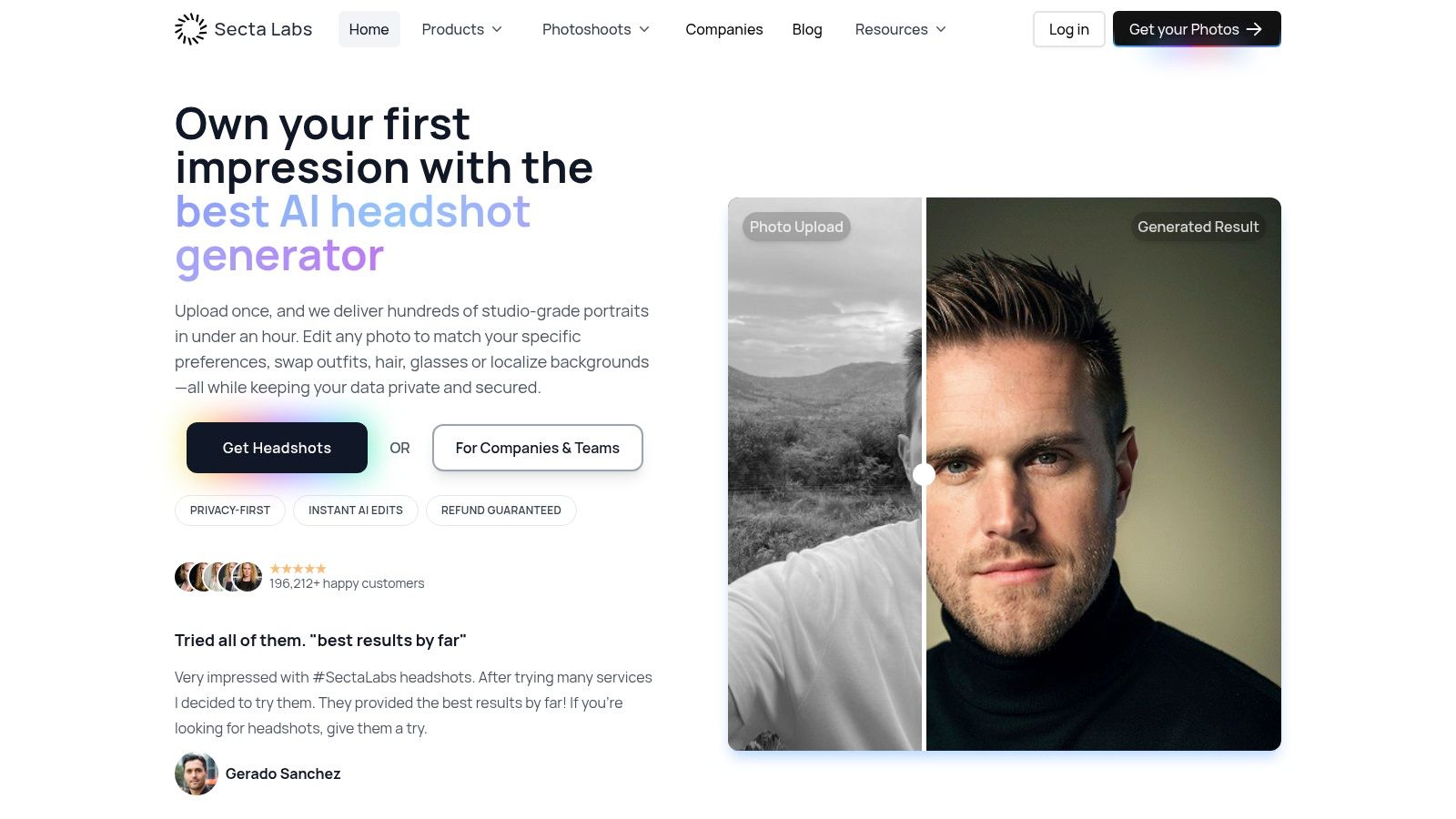
Transform Your Professional Image
Get stunning AI-generated professional headshots in under an hour. Upload regular selfies or group photos, choose from over 100 styles and we'll create hundreds of perfect shots that represent your best self.
Why Secta Labs Stands Out: Control and Realism
What truly elevates Secta Labs is its unparalleled suite of post-generation editing tools. This isn't just about generating static images; it’s about providing users with the creative control to perfect every detail, making everything quicker and easier. This layer of customization is what makes the results indistinguishable from professional photography and ensures the final image aligns perfectly with your personal or corporate brand.
Key Editing Capabilities:
- Wardrobe Swapping: Instantly change your outfit from a casual shirt to a business suit or blazer.
- Expression Adjustment: Subtly tweak your facial expression to appear more confident, friendly, or serious.
- Background Replacement: Seamlessly place yourself in a professional office setting, against a neutral studio backdrop, or outdoors.
- Advanced Retouching: Utilize a powerful upscaler and retouching feature to polish images to studio-grade perfection.
- Lighting and Hair Adjustments: Fine-tune the lighting to match a specific mood or make minor hair adjustments for a cleaner look.
This level of control makes getting the perfect headshot quicker and easier than ever before. For those looking to master the process, Secta Labs provides excellent resources that explain how to use AI for professional headshots to achieve optimal results.
Practical Application: A Company-Wide Headshot Refresh
Imagine an HR department tasked with updating headshots for a 100-person remote team to ensure brand consistency on the company website. Organizing individual photoshoots across different cities would be a logistical and financial nightmare. With Secta Labs' team plans, the entire process is centralized and made easy. Each employee can upload their photos from home, and the administrator can apply a consistent set of approved styles and backgrounds, guaranteeing a uniform, professional look across the organization in a fraction of the time and cost.
Pros & Cons
Ultimately, Secta Labs is a premium, reliable choice backed by a privacy-first model where you retain full ownership of your images. Its combination of speed, quality, and powerful editing tools makes it the top contender for any professional or organization seeking the best ai headshot generator on the market.
Website: https://secta.ai
2. Aragon AI
Aragon AI positions itself as a premium, dedicated AI headshot generator for professionals and teams who value quality, speed, and consistency. Instead of a general-purpose AI art tool, Aragon focuses exclusively on creating hyper-realistic, studio-quality headshots that can replace a traditional photoshoot. Its streamlined process is designed for users who need polished results without the hassle and cost of scheduling a photographer, making the process of getting a professional image quicker and easier.
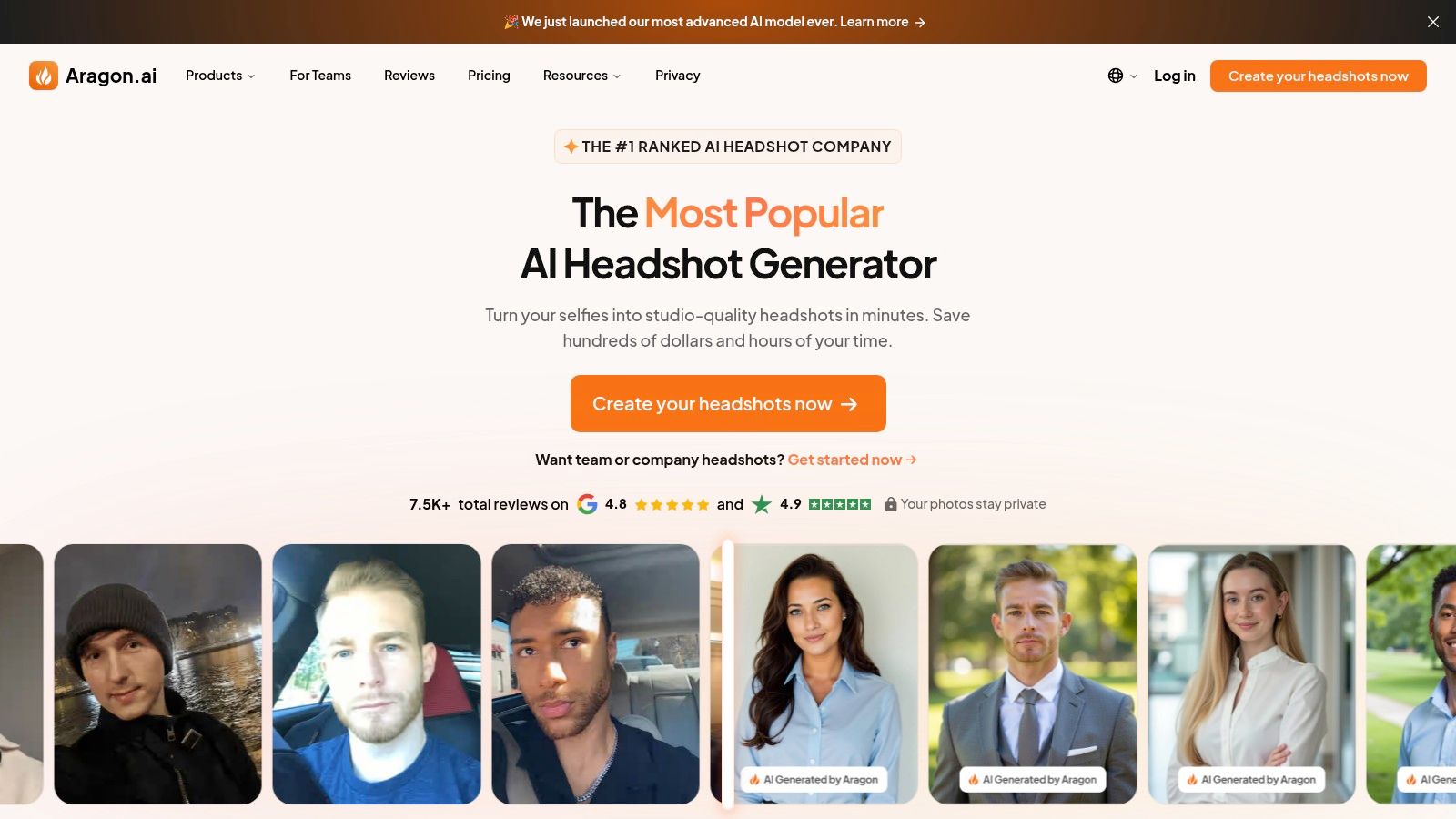
This platform excels by offering a structured, user-friendly experience from start to finish. You begin by uploading 6-12 of your existing photos, and the system guides you on selecting a diverse set of images for the best outcome. From there, Aragon’s AI gets to work, promising a turnaround time as fast as 15 minutes, depending on your chosen plan. This rapid generation is a game-changer for busy professionals needing a new LinkedIn photo before a big interview or for teams needing to onboard new members quickly.
Key Features and User Experience
What sets Aragon AI apart is its emphasis on corporate and team solutions. While individuals benefit from the high-quality output, businesses can leverage team workflows to ensure brand consistency across all employee headshots. For instance, a startup could use Aragon to create uniform headshots for its entire team to use on a new "About Us" page, achieving a professional look instantly. This feature allows managers to invite team members, manage their photos from a central dashboard, and apply consistent styles.
For anyone who has wrestled with coordinating a company-wide photoshoot, the value is immediately clear. This approach not only saves significant time but also solves the logistical nightmare of getting everyone in one place. Moreover, when you consider the cost and logistics of a professional photoshoot, using a tool like Aragon can be a remarkably efficient alternative. You can explore the financial benefits further by researching how much a traditional photoshoot costs to see the potential savings.
Why Choose Aragon AI?
Aragon's commitment to customer satisfaction is evident in its stellar Trustpilot rating (around 4.9/5 from over 6,000 reviews) and its widely referenced money-back guarantee. This provides a level of assurance that is crucial when you're investing in your professional image.
Pricing Tiers:
- Starter: $29 for 40 headshots and 5 styles.
- Basic: $39 for 100 headshots, 25 styles, and faster processing.
- Premium: $69 for 200 headshots, 50 styles, and the fastest processing available.
Pros:
- Extremely high user satisfaction and responsive customer support.
- Transparent, upfront pricing with clear deliverables.
- Fast turnaround times, perfect for urgent needs.
- Specialized workflows designed for team-wide consistency.
Cons:
- No free trial or free tier available.
- Editing or re-running generations may require additional credits on some plans.
Website: https://www.aragon.ai
3. HeadshotPro
HeadshotPro carves out its niche as a highly trusted and business-focused AI headshot generator, designed for individuals and teams who need professional-grade portraits with a high degree of customization. It emphasizes not just generating images, but providing users with the tools to fine-tune outputs to match their personal or corporate brand identity. This platform is an excellent choice for those who want control over creative elements like clothing and backgrounds without the complexity of a traditional photo session.
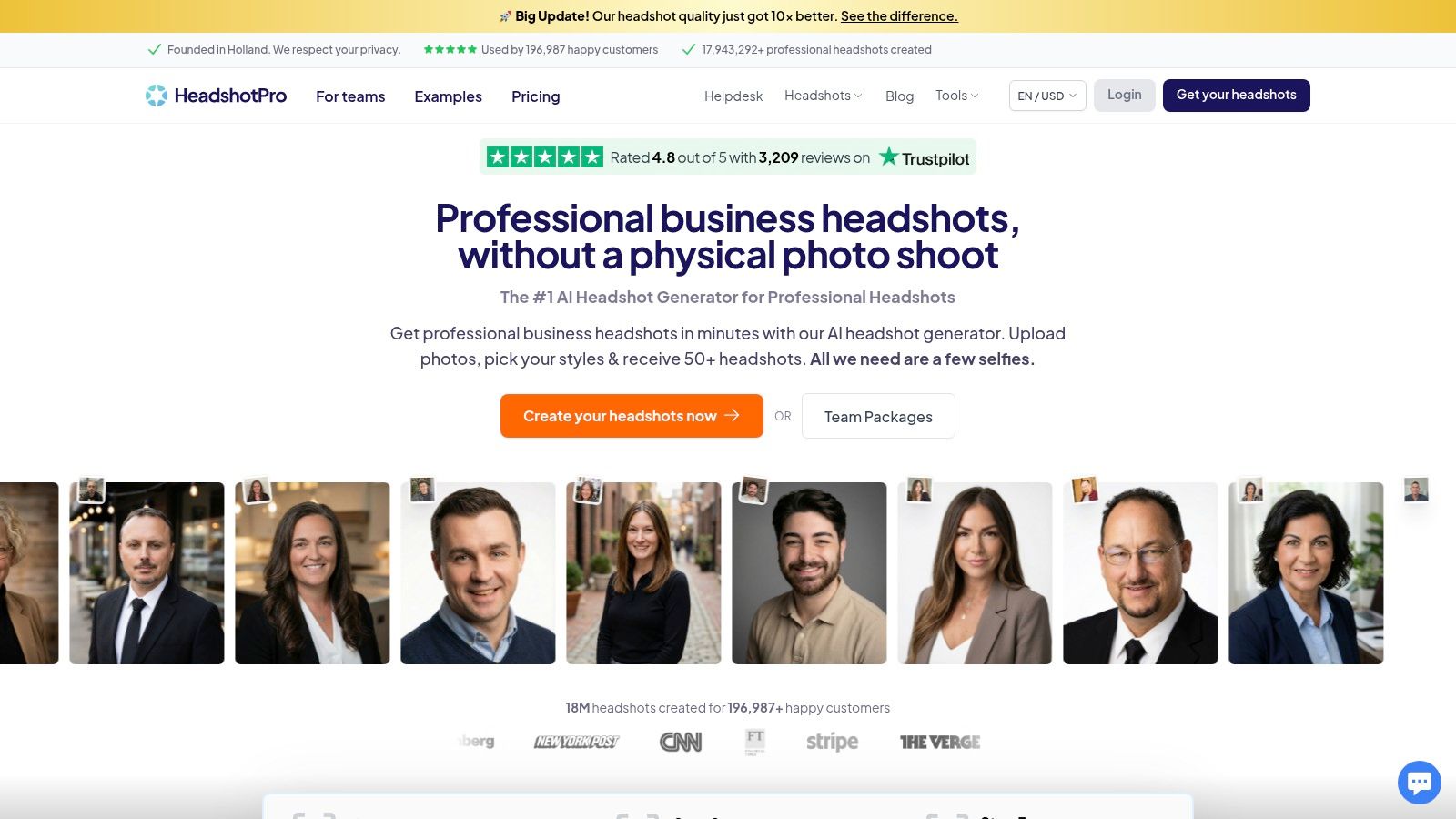
The platform streamlines the creation process, allowing users to upload a handful of selfies and receive a wide array of studio-quality photos in just a few hours. HeadshotPro’s AI analyzes your facial features and then renders you in various professional settings and outfits, giving you a diverse portfolio to choose from. For example, a real estate agent could generate a set of headshots in a formal suit for their corporate profile and another set with a more casual blazer for their social media marketing, all from one upload session.
Key Features and User Experience
What makes HeadshotPro a strong contender is its focus on practical, business-centric features. The platform offers a unique LinkedIn profile preview tool, which allows you to see exactly how your new AI-generated headshot will look in a real-world context before you even download it. This thoughtful feature makes the selection process quicker and easier. Furthermore, its ability to generate bulk renderings makes it an ideal solution for companies needing to update team photos efficiently.
For users concerned about data privacy and ownership, HeadshotPro provides clear policies directly on its website. It outlines specific data deletion timelines (input photos are deleted in 7 days, outputs in 30 days) and asserts user ownership over the final images, offering peace of mind. While it's a powerful tool, it's worth seeing how it stacks up against alternatives; you can explore a detailed HeadshotPro vs. Secta Labs comparison to understand the subtle differences in their offerings.
Why Choose HeadshotPro?
HeadshotPro’s commitment to user satisfaction is backed by a strong Trustpilot rating (around 4.8/5 from over 3,200 reviews) and a clear refund policy. If the AI fails to produce usable results, the company offers a refund, reducing the risk for first-time users. This level of assurance, combined with its powerful customization tools, makes it a reliable choice for anyone serious about their professional image.
Pricing Tiers:
- Solo: $29 for 120 headshots and 3 unique styles/locations.
- Professional: $39 for 240 headshots and 6 unique styles/locations.
- Team: Custom pricing for businesses needing scalable solutions.
Pros:
- Excellent user reviews and a strong satisfaction guarantee.
- Transparent policies on data ownership and retention.
- Helpful tools like the LinkedIn preview for practical application.
- Highly customizable outputs with options for outfits and backdrops.
Cons:
- The quality can be variable, with users often finding a handful of "perfect" shots among many options.
- Results can sometimes differ significantly across the various style packages.
Website: https://www.headshotpro.com
4. Try It On AI
Try It On AI has established itself as a versatile and reliable player in the AI headshot space, catering to individuals and teams who need more than just a basic photo. It blends automated AI generation with optional human touch-ups, offering a hybrid solution for those seeking perfection. This platform is ideal for users who want creative control over outfits and backgrounds while also having the safety net of professional editing services.
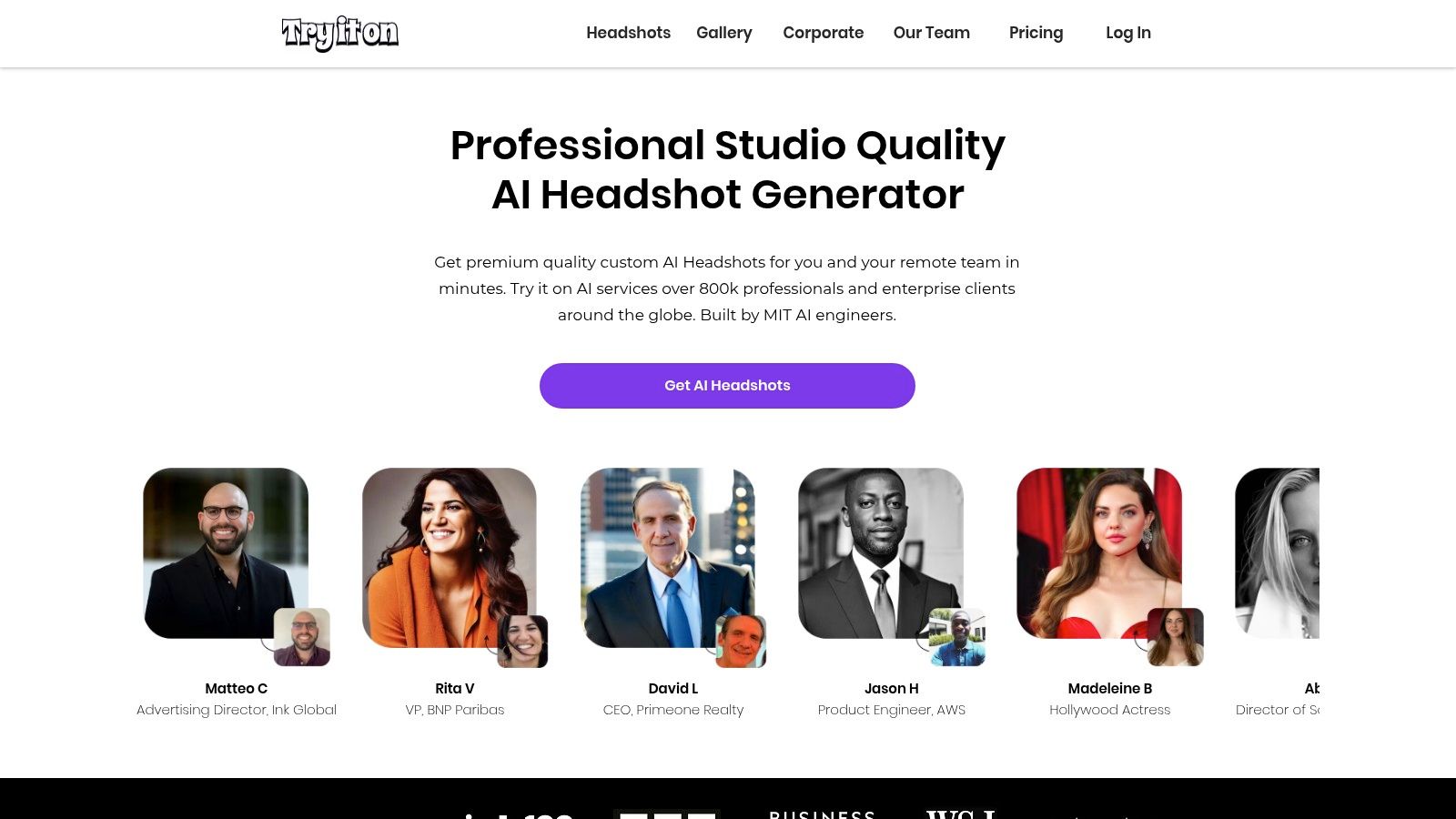
The platform’s process is straightforward: upload your photos, and its AI engine generates a diverse set of professional portraits. What makes Try It On AI stand out is its emphasis on post-generation flexibility. For example, a job seeker can easily experiment with different AI-generated outfits like blazers or suits to tailor their headshot for applications in different industries—corporate versus creative—all from one set of generated images. This makes getting the right look quicker and easier.
Key Features and User Experience
A significant differentiator for Try It On AI is its optional human retouching service. While the AI delivers impressive results, you can select your favorite headshots and submit them for professional editing for a small à-la-carte fee. This is a game-changer for eliminating minor AI artifacts or making subtle adjustments that automated tools might miss, providing a level of polish that bridges the gap between AI generation and a traditional photo studio.
The platform also offers a separate "Creative Studio" subscription, aimed at creators who need a constant stream of high-quality images for content, branding, or personal projects. Combined with its 24/7 support and transparent FAQ, Try It On AI builds a user-friendly ecosystem that inspires confidence. This comprehensive approach makes it a strong contender for anyone searching for the best AI headshot generator that offers both automation and customization.
Why Choose Try It On AI?
Try It On AI's strong Trustpilot rating (around 4.7/5) reflects its commitment to delivering value and quality. Many users praise its cost-effectiveness compared to traditional photoshoots, especially given the creative freedom it provides. The ability to purchase professional human edits for just $10 per image adds a layer of assurance that guarantees a flawless final product.
Pricing Tiers:
- Entry Package: $17 for 100 AI headshots delivered in 2 days.
- Express Packages: Higher tiers offer faster delivery times (as little as 4 hours) for a premium.
- Human Editor Add-on: $10 per image for professional retouching.
- Creative Studio: A separate subscription model for ongoing creative needs.
Pros:
- Hybrid model combines AI generation with optional human editing.
- Offers over 100 portrait styles and high-resolution (2K) downloads.
- Transparent pricing with a low-cost entry point and clear add-on fees.
- Strong user reviews and dedicated 24/7 customer support.
Cons:
- Entry-level packages produce a smaller set of images than some competitors.
- The quality of the output is heavily dependent on the quality of the uploaded photos.
Website: https://www.tryitonai.com
5. Canva AI Headshot Generator
Canva brings the power of AI headshot generation directly into its world-famous design ecosystem, offering a unique, all-in-one workflow for creators and professionals. Instead of a standalone service, Canva’s AI Headshot Generator is an integrated app called "Magic Studio" that lets you create, edit, and immediately use your new headshot in a design. This makes it the best AI headshot generator for users who value efficiency and want to go from generation to a finished social media post, business card, or resume in just a few clicks.
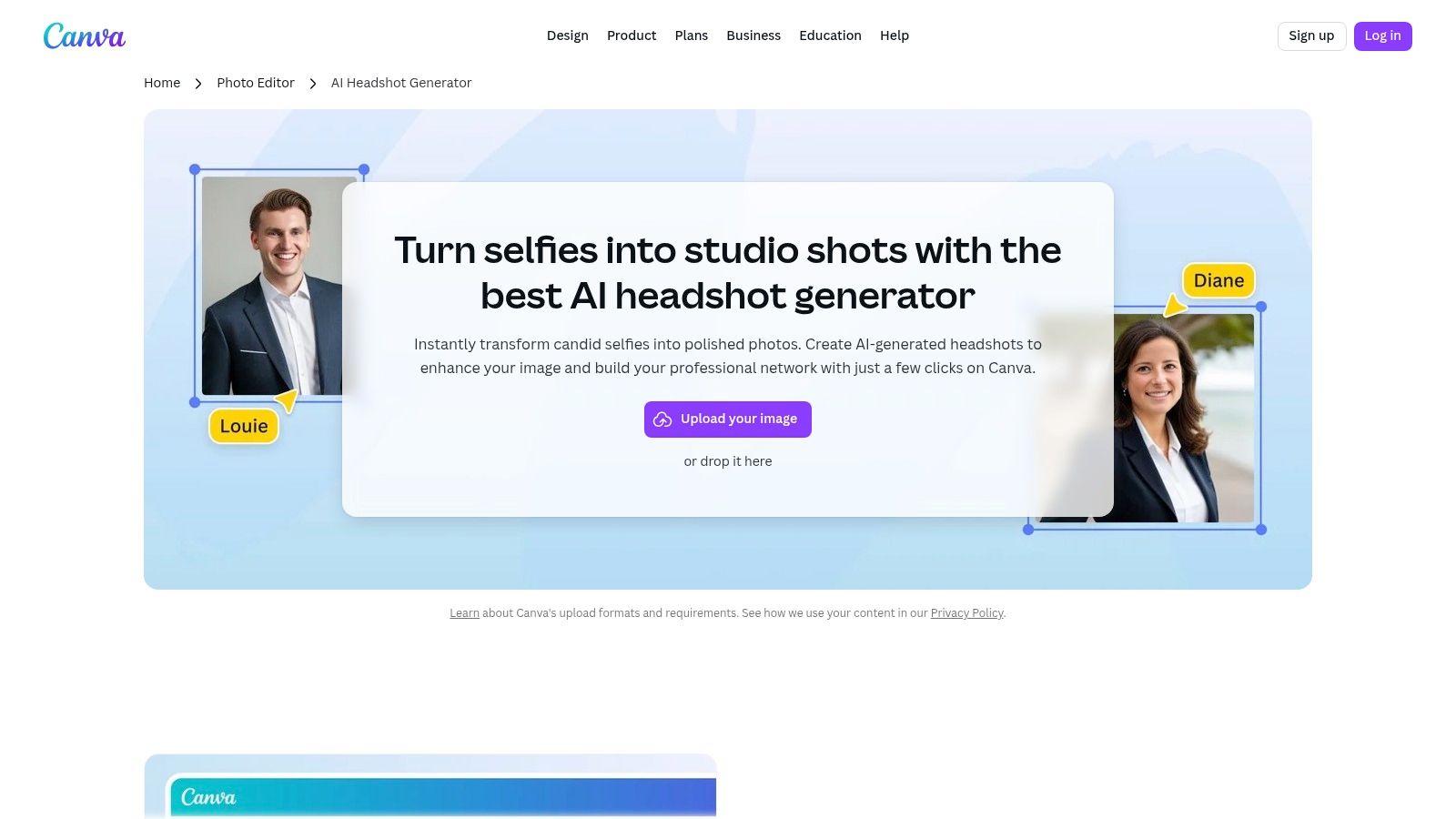
The platform’s approach is perfect for those already familiar with Canva's intuitive interface. You can upload a single source photo and let the AI generate a range of professional-looking headshots with different styles, backgrounds, and lighting. Once generated, the headshot is added to your design, where you can leverage Canva’s full suite of editing tools like Magic Eraser to remove unwanted objects or apply brand-consistent filters. This seamless integration removes the friction of downloading from one platform and uploading to another, making the entire process quicker and easier.
Key Features and User Experience
What makes Canva’s tool so powerful is its connection to the rest of the platform. Imagine you need a new LinkedIn banner featuring your updated headshot. You can generate the headshot, place it into a pre-made LinkedIn banner template, add your text, and export the final design without ever leaving the Canva editor. This unified process is a massive time-saver for marketers, content creators, and small business owners who manage their own branding.
The tool is more than just a generator; it’s part of a creative powerhouse. Canva’s Magic Edit allows you to conversationally tell the AI what to change in your headshot, like "change my shirt to a blue blazer," while Magic Expand can intelligently extend the background of a tightly cropped image. This gives users an unparalleled level of creative control that goes far beyond what dedicated headshot generators offer, turning a simple photo into a versatile design asset.
Why Choose Canva AI Headshot Generator?
Canva is the ideal choice for anyone who needs more than just a folder of headshots. It’s for the doers who need to put those images to work immediately. The ability to try the feature with free credits is a huge advantage, allowing you to test the quality and see the results before committing. This accessibility, combined with the power of its entire design platform, provides incredible value.
Pricing Tiers:
Canva’s pricing is based on credits and subscriptions:
- Free Users: Receive 2 free credits every 24 hours to use the AI Headshot Generator.
- Canva Pro: Subscribers get a monthly allowance of credits for Magic Studio features.
- Credit Packs: Users can purchase additional credits as needed for higher-volume use.
Pros:
- All-in-one workflow on web and mobile (generate, design, publish).
- Free credits allow you to try the feature before buying.
- Integrates with Canva’s massive library of templates and editing tools.
- Intuitive, user-friendly interface suitable for non-designers.
Cons:
- Functions more as a single-image enhancement tool than a multi-image "photoshoot" generator.
- High-volume generation and advanced tools require a Canva Pro subscription or paid credits.
Website: https://www.canva.com/features/ai-headshot-generator/
6. Fotor – AI Headshot Generator
Fotor is not just a headshot tool; it’s a comprehensive photo-editing suite that integrates a powerful AI headshot generator. This makes it an ideal choice for users who need professional headshots alongside a full arsenal of editing capabilities like AI-powered upscaling, background removal, and object replacement. Fotor positions itself as a versatile, all-in-one solution for both individuals and businesses looking to elevate their visual content quickly and easily.
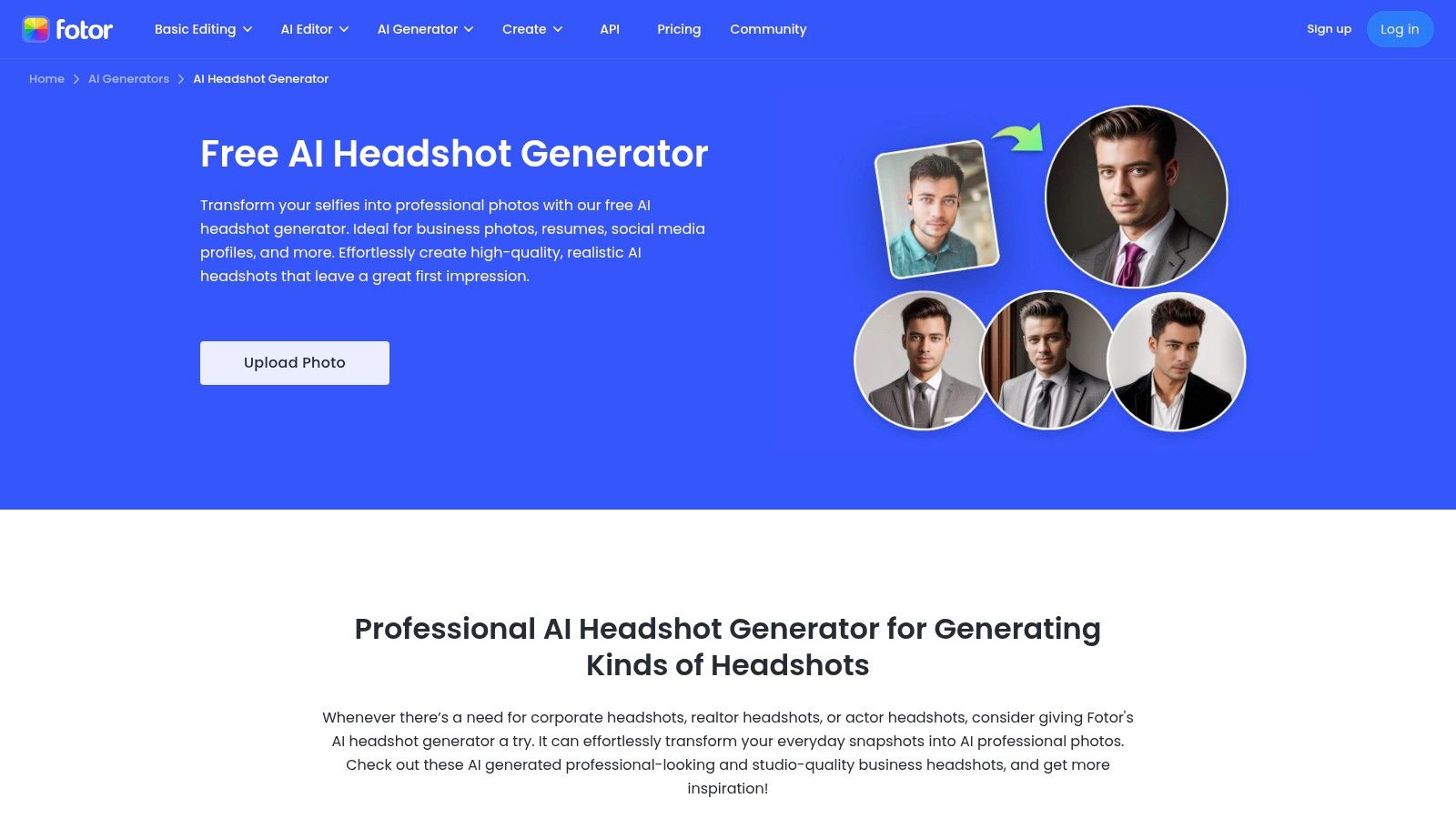
The platform’s headshot generation process is straightforward and effective. Users upload a handful of selfies and select from a variety of styles tailored to different professional aesthetics, such as "Business," "Casual," or "Creative." The AI then generates dozens of high-quality portraits, offering a quick and cost-effective way to get a new LinkedIn profile picture or update a company website. This quick-generate workflow empowers users to produce polished images in minutes, not hours.
Key Features and User Experience
What makes Fotor a standout option, particularly for corporate use, is its dedicated team headshot program. Instead of managing individual subscriptions, companies can purchase bulk codes for their staff, ensuring everyone gets access to the tool with minimal administrative hassle. This streamlined system allows for consistent branding across an entire organization, as all employees can generate professional-quality headshots using the same powerful technology.
For individuals, the value lies in the platform’s subscription model. A Fotor Pro or Pro+ plan provides a set number of AI credits that can be used not only for headshots but also for any of its other AI tools. For example, after generating a headshot, you could use the AI background remover to create a transparent PNG for a presentation slide or use the AI upscaler to prepare the image for high-resolution printing, all within the same ecosystem. This makes the entire creative process quicker and easier.
Why Choose Fotor – AI Headshot Generator?
Fotor is the best AI headshot generator for users who want more than just a single-purpose tool. Its integration into a broader creative suite offers exceptional value. Businesses can take advantage of the attractive per-user pricing at scale, with costs dropping significantly for larger teams. This makes it a financially smart choice for companies looking to provide professional headshots as a perk or for brand consistency.
Pricing Tiers:
- Fotor Pro: Subscription-based, providing monthly credits for use across all AI tools.
- Fotor Pro+: Higher-tier subscription with more credits and advanced features.
- Team Headshots: Bulk pricing based on the number of users (e.g., down to $14.99 per user at the highest tier), providing each user with 80 headshots.
Pros:
- A versatile, all-in-one toolkit that includes an editor, upscaler, and more.
- Highly competitive and scalable pricing for team and corporate packages.
- Offers a seamless workflow from generation to final edits within one platform.
- Provides both individual subscription options and bulk corporate codes.
Cons:
- Individual headshot costs are tied to a credit system within a larger subscription.
- The exact cost-per-image can vary depending on the plan, which may be confusing.
Website: https://www.fotor.com/features/ai-headshot-generator
7. Fiverr – AI Headshots Services Marketplace
Fiverr offers a unique, human-powered approach to generating AI headshots. Instead of a purely automated tool, it acts as a massive marketplace where you can hire freelancers who specialize in using AI to create, curate, and retouch professional headshots. This model is perfect for those who want the power of AI without the hands-on work, or for users who need a specific artistic touch that only human intervention can provide.
This platform stands out by giving you access to a diverse pool of talent. Freelancers on Fiverr manage the entire AI pipeline, from running your photos through advanced models to meticulously selecting the best results and performing manual edits. This human-managed workflow is a significant advantage if you need to ensure every detail is perfect, like removing minor blemishes or ensuring your company's brand colors are accurately represented in the background. It combines AI's speed with a professional's artistic eye.
Key Features and User Experience
The core of the Fiverr experience is choice and control. You can browse thousands of "gigs" for AI headshots, using filters to sort sellers by budget, delivery time, and seller rating. Before committing, you can review a freelancer's portfolio, read detailed reviews from past clients, and message them directly to discuss your specific needs. This direct communication allows you to request a custom style, from a classic corporate look to a more creative, dramatic portrait for a personal brand.
For users who find the process of selecting the right input photos and tweaking AI settings daunting, Fiverr offers a "done-for-you" solution. For example, a real estate agent could hire a seller to generate 50 headshots, ask them to select the top 5 with a confident and approachable expression, and have them retouched to match their brokerage's branding. This level of service transforms the process from a DIY task into a streamlined delegation, saving valuable time.
Why Choose Fiverr?
Fiverr is the best AI headshot generator for anyone who prioritizes a human touch and wants to offload the entire process. The wide spectrum of price points and service levels means you can find a gig that fits your exact budget and quality requirements. The platform’s transparent review system and clearly defined deliverables (including number of headshots, styles, and revision rounds) help mitigate the risk of inconsistent quality.
Pricing Tiers:
- Varies by seller: Gigs can start from as low as 10 for a basic package and go up to $100+ for premium services that include extensive manual retouching and a larger selection of high-resolution images.
Pros:
- Human-managed workflow provides manual curation and professional retouching.
- Massive variety of sellers, styles, and price points to fit any need.
- Ability to review portfolios and communicate directly with sellers before purchase.
- Fast turnaround options are available, often within 24 hours.
Cons:
- Quality can vary significantly between sellers, requiring careful vetting.
- The process is less instant than a fully automated platform; it relies on seller response times.
Website: https://www.fiverr.com/gigs/ai-headshot
Your Perfect Headshot is Just a Few Clicks Away
The era of expensive, time-consuming photoshoots is officially over. As we've explored, the modern professional, creative, and entrepreneur now has a powerful suite of AI tools at their disposal, each capable of transforming a handful of casual selfies into a portfolio of stunning, studio-quality portraits. Gone are the days of coordinating schedules, booking studios, and hoping for that one perfect shot. The best AI headshot generator for you is now just a matter of matching your unique goals with the right technology.
We've walked through a diverse landscape of options, from the integrated convenience of Canva's generator for marketers and designers already deep in its ecosystem, to the human-curated marketplace of Fiverr, perfect for those who want an artist's touch guiding the AI process. Each tool, including Aragon AI, HeadshotPro, Try It On AI, and Fotor, brings something valuable to the table, democratizing access to a polished and compelling professional image.
How to Choose Your Ideal AI Headshot Generator
Making the right choice comes down to a clear understanding of your priorities. Don't just pick the first tool you see; ask yourself these critical questions to find your perfect match:
- What is my primary use case? Are you a real estate agent needing a single, trustworthy photo for your business cards and LinkedIn? Or are you a CEO requiring a consistent set of headshots for your entire 50-person executive team? Tools like HeadshotPro and Secta Labs are built for team scalability, while a tool like Fotor might be perfect for a one-off creative project.
- How much creative control do I need? If you're happy to receive a great set of photos with minimal input, many platforms will serve you well. However, if you want to dictate the wardrobe, experiment with different backgrounds, and fine-tune expressions, you need a more robust solution. Secta Labs excels here, offering granular control that mimics the versatility of a real photoshoot, allowing you to generate headshots in a specific blazer, against an office backdrop, or with a subtle, confident smile. This solution makes it quicker and easier to achieve your desired outcome.
- What level of realism is non-negotiable? While all the tools we reviewed produce impressive results, there's a spectrum of quality. For C-suite executives, actors, and consultants whose personal brand is their business, photorealism is paramount. Scrutinize gallery examples for details like skin texture, hair strands, and the look in the eyes. The best AI headshot generator will produce images that are indistinguishable from traditionally captured photographs.
Finalizing Your Professional Image
Once you have your AI-generated headshots, the journey to a powerful professional presence is nearly complete. The final step is ensuring your new image aligns with the overall brand you're building. This extends beyond just your photo; it's about curating a cohesive and polished persona. For instance, as you finalize your new look, you might find that a comprehensive guide to achieving a classy look can provide valuable insights into styling choices that complement your new, professional headshot. It’s about creating a holistic impression of competence and confidence.
Ultimately, the power of AI headshot generation lies in its ability to remove friction and empower you to present the very best version of yourself, instantly. While platforms like Canva offer incredible convenience and Fiverr provides a unique human-AI hybrid model, our deep dive reveals a clear frontrunner for those who refuse to compromise on quality, control, and realism.
Secta Labs stands out by providing a comprehensive, professional-grade experience. It’s more than just a generator; it’s a virtual studio that delivers hundreds of hyper-realistic options and the tools to perfect them. It achieves the trifecta of speed, quality, and customization, making the process of getting a world-class headshot not just possible, but quicker and easier than ever before. Your perfect headshot isn't a distant goal, it’s a reality waiting for you. The only thing left to do is click.