New Hire Announcements That Actually Work
Your new colleague starts soon. The manager wants a welcome post, marketing wants a portrait that matches the team page, and the employee hasn't approved either. You've got a draft full of enthusiasm but very little that tells colleagues how to work with this person.
Don't solve that by adding more adjectives. Build new hire announcements around an approved AI-generated portrait, a useful introduction, and a follow-up plan. You can make the production process quicker without turning the welcome into another automated message nobody acts on.
Why Most New Hire Announcements Disappear
An announcement isn't a welcome just because people react to it. It's the opening move of a 30-day belonging plan, and its job is to help colleagues recognize the new employee, understand their contribution, and make contact.

A polished AI portrait can give the introduction a recognizable face. It can't rescue copy that says someone is talented, passionate, and joining an exciting journey. Those words tell colleagues nothing about what to ask, where to collaborate, or who should introduce themselves.
Gallup research cited by SHRM found that just 12% of employees strongly agree their organization does a great job onboarding, while employees who experience excellent onboarding are nearly three times as likely to say they have the best possible job. That's evidence for taking onboarding seriously, not proof that a better portrait or post improves retention.
Transforme su imagen profesional
Consigue impresionantes retratos profesionales generados por IA en menos de una hora. Sube selfies normales o fotos de grupo, elige entre más de 100 estilos y crearemos cientos de instantáneas perfectas que representen lo mejor de ti mismo.
Audit the introduction, not the applause
Review your recent announcements alongside their AI-generated portraits. Ask:
- Recognition: Does the approved portrait look like the person colleagues will meet, rather than an idealized corporate avatar?
- Role clarity: Could someone explain what the employee will work on after reading the post?
- Useful connections: Does the announcement identify relevant collaborators without publishing confidential project details?
- A concrete welcome: Are colleagues asked to introduce themselves in a named channel or share useful context?
- Continuity: Is someone responsible for following up after publication?
The visual below offers a communication checklist. Treat its illustrative labels as creative prompts, not measured findings.
Give the announcement the editorial rigor you'd give a public company update: verified details, approved imagery, a clear audience, and an owner. Then make the process lighter by preparing the AI portrait and message together rather than chasing them through separate approval threads.
A strong announcement should leave the employee feeling accurately represented and colleagues knowing what to do next. Recruiting visibility and employer-brand polish are useful secondary outcomes. They aren't substitutes for an introduction that works inside the team.
The Pre-Announcement Prep That Prevents Embarrassment

The awkward errors usually happen before anyone writes the opening sentence. Someone copies an outdated title, assumes a city is safe to publish, or selects an AI portrait the employee dislikes. A centralized intake and approval record prevents those decisions from becoming everyone's problem.
Use separate internal and public permissions. Approval for an employee directory shouldn't automatically authorize LinkedIn publication, profile tagging, or a customer newsletter.
Gather only what you'll actually use
Your intake should capture:
- Identity preferences: Preferred name, pronunciation, and optional pronouns.
- Work context: Confirmed title, team, manager, start date, and a plain-English description of the role.
- Location boundaries: Ask whether a broad region or working time zone may be shared. Don't assume an exact location belongs online.
- Optional personality: Offer a fun fact or professional interest, with an explicit option to skip it.
- Portrait permissions: Explain the generative AI process, permitted uses, and how the employee can decline.
- Publication choices: Ask about biography text, public tagging, and each intended channel.
Keep home addresses, personal phone numbers, compensation, and sensitive employment details out of public copy. Don't put them into portrait-generation inputs either.
Workplace generative AI guidance from the Privacy Commissioner for Personal Data calls for explicit rules covering permitted inputs and outputs, personal-data anonymization, storage, retention, and communication of policy changes. Translate that into a usable workflow, not a policy document nobody can find.
Make approval a clear decision
Use this intake email as a starting point:
The approval form can be short: approved text, selected portrait filename, authorized channels, tagging permission, disclosure wording, and approval date. Add a contact for corrections or removal requests, plus the organization's retention rules for inputs and outputs.
Have the manager verify role claims and HR own the record. Route high-profile or sensitive cases to privacy or legal before generation. Use corporate image guidelines to define the visual choices in advance, so employees aren't asked to approve an unexplained aesthetic at the last minute.
Writing the Announcement People Actually Read

A new hire opens their first-week inbox to find a polished announcement that says little about what they do or how colleagues can connect. That post is wasted. Introduce the person through their contribution, then give readers a useful next step. The announcement should start a welcome that continues through the first 30 days, not suggest onboarding is finished.
Onboarding research reported by USA Today found that 39% of new hires experienced doubts about their position, more than one-third lacked belonging one month into the role, and 65% viewed onboarding as the beginning of continuous learning. Make the post an invitation to participate. Ask colleagues to share context, offer introductions, and keep the conversation going after the first day.
Give colleagues a useful reason to reach out
A good internal announcement names the role, a specific area of responsibility, and the teams the new hire will work with. Keep personal details optional and approved. Attach the selected AI-generated portrait only if the employee has approved its use in that channel. Include descriptive alt text and any required disclosure, and keep all key information in the written post.
Use this email as a starting point:
That last sentence matters. A welcome post should create action for the team, not assign the new hire another task.
Write public posts for the people reading them
Templates are starting points, not employee case studies. Use only public-approved details and the portrait authorized for that channel. Get the employee's approval on the finished wording before publishing.
Warm LinkedIn version
[Name] is joining [Company] as [Role]. They'll focus on [public-facing responsibility], bringing experience in [verified specialty]. We're looking forward to working together and learning from their approach to [approved professional interest]. Welcome, [Name], we're glad you're here.
Direct LinkedIn version
Meet [Name], our new [Role]. Their work will center on [customer-relevant contribution]. Their background in [verified area] connects directly to that responsibility. Join us in welcoming them to [Company].
Playful LinkedIn version
A new teammate, and a new person to ask about [employee-approved interest]. [Name] joins [Company] as [Role], focused on [public responsibility]. We're excited to work together. Leave a welcome below.
For Slack or Teams, make the invitation immediate:
[Name] joins [Team] as [Role] today, focusing on [responsibility]. Their approved AI portrait is on their internal profile. If you work on [related area], introduce yourself in this thread and share what they should know.
Draft public copy separately. Cutting down an internal email can leave private details behind. Use the right approved version, and let the post begin the welcome rather than stand in for it.
Choosing the Right Channel for Each Audience
Choose channels by the relationship you need to support. Internal colleagues need working context. External audiences need a clear, permissioned introduction. Neither group needs every detail you collected during intake.
An AI-generated portrait gives you a reusable visual asset, but reusable doesn't mean universally authorized. Keep a channel-use field beside the approved filename so communications can find the correct image without reopening the entire approval conversation.
Channel fit at a glance

Don't publish a customer announcement just because the portrait looks good. Publish it when customers need to understand who will support them, what changes, and how to make contact.
Sequence the release deliberately
Set an internal-first publication order and record a clear external embargo in the shared approval document. Tell the manager, communications owner, and employee when each version can appear. If the start date changes, pause the scheduled posts rather than relying on someone to remember every channel.
For a senior appointment connected to a broader company message, BAMF's partnership announcement tactics for CEOs offers a useful adjacent resource for thinking about announcement coordination. Keep the employee introduction distinct from partnership messaging so the person doesn't become a prop in a corporate campaign.
Generate portrait variants for the formats you've selected, not every account the company owns. A directory crop and a public announcement layout may be enough. Fewer deliberate destinations mean less resizing, fewer approvals to chase, and a clearer record of where the employee's likeness appears.
Headshots Without Booking a Photographer
A new hire's portrait can hold up an announcement, or make the person look unlike themselves. Use AI headshots to prepare options before the start date, then put employee consent and approval ahead of speed. The portrait should support the first 30 days of onboarding, not become a one-time marketing asset.
The case for AI portraits is practical: HR can coordinate image creation and review without booking a separate photo appointment. Set the workflow before generating anything. Tell the employee what tool will be used, how the portrait may be edited, where it could appear, and how to decline or request another option. Get approval for each intended use and record it with the selected image.
The June 2024 survey of 1,087 US recruiters reported by Human Resources Online found 74.4% were more inclined to interview applicants with a headshot, while 88% believed AI use should be made clear when an AI-generated headshot is used. That research concerns job applications. It does not show that announcement portraits improve belonging.
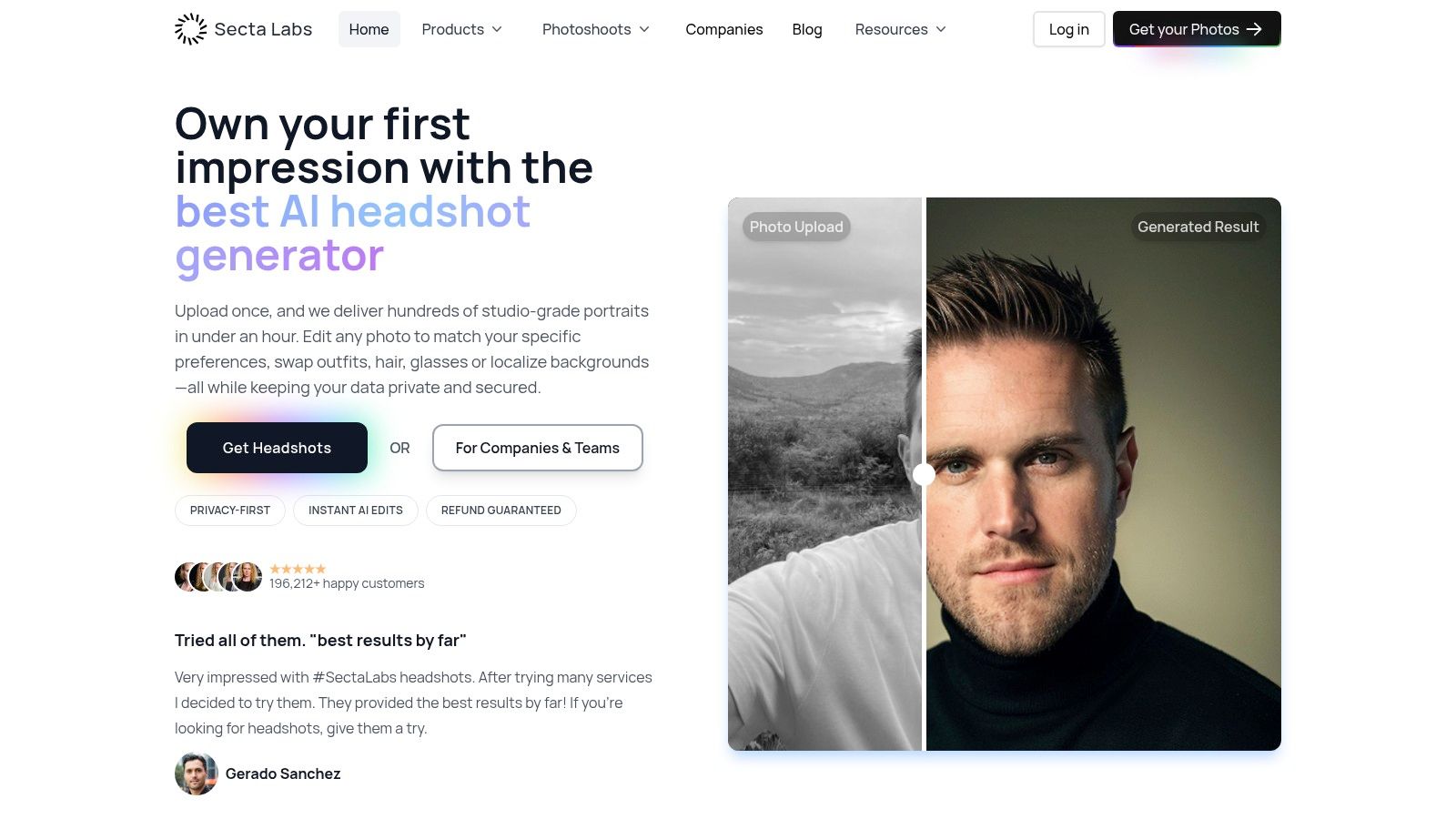
The studio interface below shows a workspace teams can use to prepare portrait options.
Standardize the presentation, not the person
Before generating portraits for a group, set the crop, background, lighting, and clothing conventions. Use this corporate headshot setup guide to give reviewers shared criteria. A consistent presentation helps the team, but the employee decides which accurate image represents them.
Check the likeness carefully:
- Face and features: Reject changes to facial structure, skin tone, or other identifying characteristics.
- Hair and clothing: Confirm they are accurate and suit the employee's preferences, including cultural or religious presentation.
- Expression: Choose one the employee recognizes as their own professional presentation.
- Image integrity: Inspect hands, accessories, edges, and background artifacts.
- Final selection: Save the approved image under a consistent name and record its authorized uses.
An incoming customer-success colleague may prefer a neutral background and relaxed expression, while marketing favors a more formal version. Let the employee's accurate likeness and stated preference decide. A loud reaction in chat is not approval.
Make disclosure part of the workflow
Digital Camera World's coverage of the recruiter research reports that AI-generated headshots were correctly identified only 39.5% of the time, although 80% of recruiters believed they were accurate or very accurate at detecting them. Viewers cannot be expected to identify generated images.
Tell employees the portrait is AI-generated before they take part. Follow the organization's publication disclosure rules, and never present a materially altered likeness as an unmodified photograph. Keep the approved image and its use permissions available to the manager during the employee's first 30 days, so later introductions use the same consented portrait rather than prompting another round of image creation.
Turning One Post into a 30-Day Welcome System
A welcome post earns attention for a moment. The manager turns that moment into onboarding by introducing the new employee to people, work, and support over the first month. HR can prepare the portrait and prompts, but the manager must make the follow-through happen.
Gallup reports that employees are 3.4 times as likely to say onboarding was successful when managers take an active role, and roughly one-third of new employees don't remain for 90 days. A comment thread cannot do the manager's job.
Build the welcome into the first month
Keep the approved portrait with the searchable internal introduction. Reuse that consented image instead of generating another one for each introduction. Then schedule useful contact across the month:
- Day one: The manager introduces the employee and explains the first learning priorities.
- Day three: A buddy shows them the relevant channels, documents, and informal team practices.
- Week one: Offer a team coffee or an asynchronous introduction thread. Make participation optional.
- Week two: Pair the employee with a colleague on a scoped project.
- Day 30: Ask about belonging, role clarity, access to support, and unanswered questions.
Give managers a prompt that adds context to the announcement:
For distributed teams, provide a recorded manager welcome and a structured introduction document with the approved AI portrait, responsibilities, and collaboration preferences. Do not ask employees to make a live introduction outside their working hours.
Keep the promise behind the post
Use Benely's onboarding best practices to connect welcome communications with the broader onboarding process. The post should direct people toward real support, not become a separate marketing exercise.
That follow-through also shapes how employer branding reflects employee experience. If the introduction promises a welcoming, supportive workplace, managers need to deliver that experience. Keep the approved portrait and introduction record available throughout the first month, so colleagues can welcome the employee without asking them to repeat the same introductions.
Measuring What Matters After the Announcement
A polished post can still leave a new employee unsure who to contact. Measure the announcement process and onboarding outcomes separately, then review them together. That keeps the team from treating likes or profile views as proof that a welcome worked.
The U.S. Bureau of Labor Statistics reported 62,972,000 hires in 2025 and an annual average hires rate of 3.3%. Hiring is a recurring business process at substantial scale. Use a consistent approval and review process instead of handling each announcement as a standalone campaign.
Build a small operational dashboard

Give each measure an owner and review date in a shared spreadsheet. Restrict access to employee feedback. Never repurpose private survey responses as marketing content.
Low belonging, missed check-ins, repeated portrait corrections, or an employee asking where their image appeared calls for a process fix. Identify the owner, agree on the change, and record it before the next announcement.
At day 30, review the dashboard with the manager and document one process change before the next announcement enters production.
Prepare your next welcome with Secta Labs: generate professional AI portrait options, refine the presentation, and let the employee choose an image that represents them accurately. Pair the approved portrait with a channel-specific announcement and scheduled manager follow-ups. Move production along without rushing the employee's welcome.
