Corporate Headshot Setup: AI Workflow for Teams
Your company needs new portraits, but the team is distributed, calendars are full, and the last office photo day left employees with noticeably different backgrounds, crops, and expressions. A few people have updated LinkedIn images, others still use old conference photos, and marketing is asking for matching portraits before the next campaign launches.
That situation looks like a photography problem. In practice, it's a corporate headshot setup workflow problem. The fastest way to solve it is to standardize the inputs, generation settings, review process, and privacy controls, then let employees create credible portraits without coordinating a studio session.
Why Corporate Headshot Setup Is a Workflow Problem Now
Traditional headshot planning depends on physical logistics. Someone has to book a photographer, reserve a suitable room, move employees through the session, manage lighting, review images, and repeat the process for people who work elsewhere or miss the appointment. A distributed company turns one shoot into several scheduling projects, and each location introduces new variables.
Generative AI changes the unit of work. Instead of moving people and equipment to one location, the company creates a digital process that each employee can complete from available personal photos. Employees upload source images, select an approved visual direction, review several portraits, and submit a final choice. Marketing receives a coherent image library without asking every person to appear in front of the same camera on the same day.

Verändern Sie Ihr professionelles Image
Erhalten Sie atemberaubende KI-generierte professionelle Fotos in weniger als einer Stunde. Laden Sie normale Selfies oder Gruppenfotos hoch, wählen Sie aus über 100 Stilen und wir erstellen Hunderte von perfekten Aufnahmen, die Sie von Ihrer besten Seite zeigen.
The new bottleneck is identity data
A physical studio controls light, lens position, distance, and background. An AI workflow controls source-photo diversity, identity preservation, style selection, and approval standards. That makes the quality question more useful: not “Do we have the right softbox?” but “Did we give the system enough accurate information about this person?”
A varied collection of clear personal photos gives the generation system more evidence about facial structure, hair, expressions, and natural appearance. A single selfie may produce a polished image, but it gives the model less information to preserve identity across clothing, backgrounds, and poses. Teams get more reliable results when employees submit different angles and expressions rather than several nearly identical pictures.
The workflow also reduces unnecessary variation. A company can define a corporate style, background treatment, crop, and output format while allowing each employee to choose a natural expression and appropriate clothing. That combination creates brand consistency without visual cloning.
Why the image deserves operational attention
LinkedIn has reported that profiles with professional photographs receive up to 21 times more profile views and 9 times more connection requests than profiles without photos, as described in this LinkedIn professional-photo reference. Those figures compare profiles with and without photos, so they don't prove that studio photography or AI generation independently causes the difference. They do show why a recognizable portrait functions as a discovery and networking signal.
For companies, that signal appears in more places than LinkedIn. Employee directories, leadership pages, speaker profiles, press materials, proposal documents, and social accounts all become easier to browse when people look recognizable across contexts. An AI-first setup makes updates easier because the company can refresh the image library without rebuilding the physical production schedule.
The right system therefore prioritizes speed, recognizable identity, controlled presentation, and easy approval. Better equipment may improve a single session. A repeatable generation workflow improves how the entire organization maintains professional portraits.
Setting Up the AI Portrait Workflow
Start with the source material. Ask each employee to upload at least 15 personal photos, using a varied set that includes front-facing views, angled views, natural smiles, neutral expressions, indoor scenes, and outdoor scenes. A technical comparison reported higher facial-similarity scores with at least 15 source photos than with 5 to 8, although the comparison wasn't an independent benchmark for every platform. The findings are detailed in this analysis of ArcFace verification thresholds.
The number alone isn't enough. Employees should choose images where the face is visible, the expression is natural, and the image isn't heavily obscured by sunglasses, extreme filters, hats, or aggressive edits. Include recent photos so the final portrait reflects the person's current hair, age, facial hair, and overall appearance.
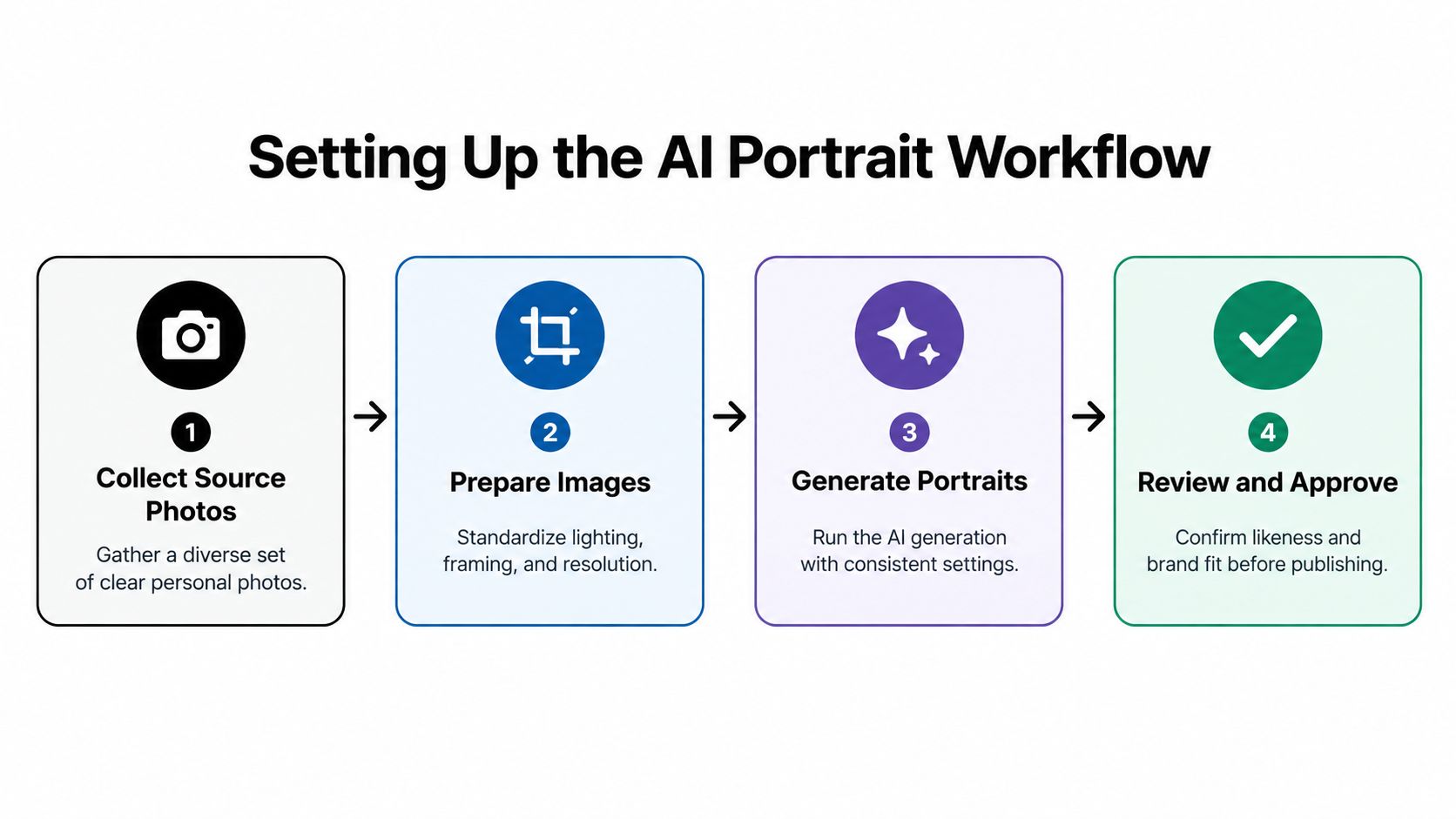
A practical four-step process
- Collect varied source photos. Ask employees to create one folder with clear personal images rather than uploading files randomly over several attempts. Diversity of angle, expression, lighting, and setting helps the system distinguish identity from the original environment.
- Prepare the upload. Remove duplicates, screenshots with visible interface elements, and photos where another person's face is prominent. Keep the subject's face unobstructed and avoid applying additional filters before uploading.
- Choose one approved style family. For most organizations, start with a corporate, LinkedIn, or business portrait category. Use a clean background, natural facial detail, credible clothing, and a restrained visual treatment. Different departments can receive controlled variations, but a sales directory and an executive page shouldn't look like unrelated image collections.
- Generate, compare, and approve. Review several outputs instead of accepting the first technically clean image. Check likeness, facial proportions, eyes, teeth, hair, clothing, background, and whether the result still resembles the employee in a real meeting.
A platform such as Secta Labs lets users upload personal photos, select from business and LinkedIn styles, generate multiple HD portraits, and refine details such as clothing, expressions, backgrounds, hair, and lighting. The same process can support individual profiles or a managed team library.
For a deeper operational reference, use this guide to AI headshot generators for business. It helps teams evaluate the difference between a one-off portrait tool and a workflow designed for repeated professional use.
Don't publish an image merely because it looks attractive. The useful test is recognition continuity. Would a colleague, client, recruiter, or interviewer identify the person immediately from the image? If the portrait makes someone look dramatically younger, changes defining features, or introduces a style they would never use professionally, reject it and regenerate.
Comparing Traditional Studio Lighting with AI Generation
Traditional lighting can produce excellent portraits, but it demands careful control. A photographer typically uses a large key source positioned roughly 30 to 45 degrees to the side and slightly above eye level, then manages background separation, white balance, exposure, and facial detail. A separate background light can prevent the subject from merging with the backdrop, while adjustments may be necessary for different complexions.
That physical setup works well when a small group can attend one location and accept the same production schedule. It becomes harder when employees work across offices, time zones, home environments, or travel schedules. Even a skilled photographer can't photograph an unavailable employee, and a second location may introduce different room colors, ambient light, camera distance, or background conditions.
The conventional approach is explored in this portrait lighting setup guide. Its central lesson remains useful even in an AI workflow: consistent visual outcomes require deliberate inputs rather than casual capture.
The trade-off in plain terms
AI generation isn't a substitute for judgment. It shifts judgment to a different stage. Instead of correcting shadows under the eyes or adjusting a reflector, the team reviews whether the generated face remains faithful, whether the clothing fits the role, and whether the background matches the brand.
The biggest failure occurs when teams assume that speed eliminates quality control. It doesn't. A fast workflow can produce a large collection of unusable images if source photos are weak or nobody checks the outputs. The better model is quick generation followed by disciplined human approval.
For a small executive group with a strong preference for direct creative control, a studio may still be appropriate. For a distributed team that needs current, consistent portraits without coordinating a physical shoot, AI offers a more practical operating model. It removes the location constraint while preserving room for individual choice.
Choosing the Right Headshot Style and Quality Settings
A corporate portrait should communicate professional relevance before it tries to communicate creativity. The safest starting point is a style with a clean background, natural facial detail, realistic clothing, restrained contrast, and an expression that suits the employee's role. A consultant may need an approachable business portrait, while a creative director may prefer a little more environmental character. Both can remain credible if the face stays recognizable and the styling doesn't overpower the person.
Style selection also affects how easily a team can reuse the images. A dramatic editorial portrait may work on a personal website but look out of place in an employee directory. A tightly cropped image may work for a social profile and fail on a leadership page that requires more visual breathing room. Generate with the primary use case in mind, then create compatible variants rather than forcing one image into every context.
Quality checks that catch synthetic results
Generative AI portraits can look convincing at first glance while containing small errors that become obvious when someone pauses on the image. In a controlled study, participants correctly classified AI-generated images 76% of the time and authentic photographs 74% of the time. With only one second of viewing, accuracy remained about 72%, according to the study of human detection of AI-generated images.
Review each portrait at normal profile size and at a larger display size. Inspect:
- Eyes: Look for mismatched pupils, strange reflections, uneven eyelids, or an expression that doesn't match the rest of the face.
- Teeth and lips: Reject warped teeth, repeated shapes, unnatural edges, or a smile that changes the person's recognizable features.
- Hair and ears: Check stray strands, merged hair, missing texture, and distorted ear shapes.
- Jewelry and clothing: Look for impossible chains, asymmetrical buttons, inconsistent collars, or accessories the employee doesn't normally wear.
- Skin and facial structure: Preserve natural texture and defining features instead of smoothing the face into a generic ideal.
- Background: Confirm that lines, furniture, shadows, and edges remain plausible.
High-resolution output matters because a portrait needs to survive both a small profile thumbnail and a larger website display. A sharp file with clean facial detail gives the team more flexibility for cropping and reuse. Still, resolution can't repair an incorrect identity. A technically pristine image with altered facial proportions should never pass approval.
Synthetic appearance also carries reputational risk. A peer-reviewed study found that viewers associated professional headshots suspected of being AI-generated with lower quality, and that perception negatively affected job opportunities. The findings are discussed in this research on AI-generated professional headshots and perceived quality. Reviewers should therefore prefer natural expressions, consistent identity, and styling that matches the employee's real appearance.
Running a Scalable Team Headshot Workflow
A scalable program needs a minimum standard, not an identical-image mandate. Define the requirements that protect brand coherence, then leave room for employees to represent themselves accurately. Common requirements include clear face visibility, a consistent crop, compatible background treatment, sufficient output resolution, and a review before publication.
Allow controlled variation in expression, clothing, hairstyle, head coverings, assistive devices, and cultural presentation. A team looks more credible when portraits share a visual system without forcing every employee into the same pose or wardrobe. This matters for recognition accuracy as much as inclusion. A standardized image that erases meaningful personal presentation may satisfy a style guide while weakening trust.
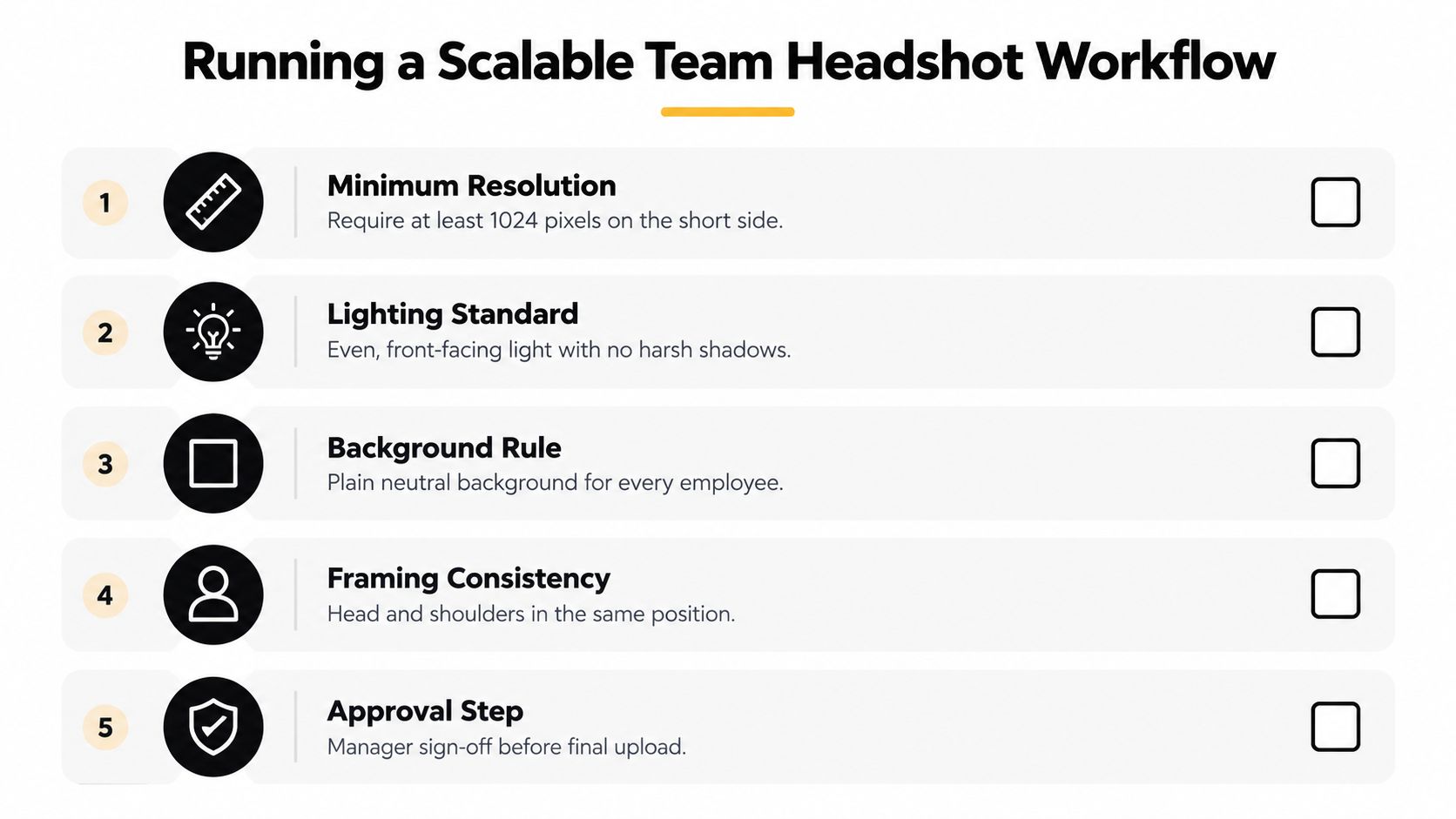
Five controls that keep the system reliable
- Define the asset standard: Set the required resolution, crop, face visibility, and background treatment before employees upload anything.
- Write an inclusion rule: Permit religious attire, varied hairstyles, mobility aids, and culturally appropriate clothing when the portrait remains professional and recognizable.
- Create a consent record: Explain how source photos and generated images will be used, who can access them, how corrections work, and when files can be deleted.
- Review in context: Test final portraits as small profile images and larger website assets, using both light and dark interfaces.
- Assign approval ownership: Give employees control over likeness approval, then let a designated HR or marketing owner confirm brand fit.
Recruiters may spend limited time on a profile image. A 2017 analysis of eye-tracking research reported that recruiters spent approximately 19% of their profile-viewing time looking at a candidate's profile photograph, and the report described an average viewing sequence in which recruiters spent less than a second focused on the photo before moving to other profile information. The historical finding appears in this analysis of LinkedIn's profile-photo presentation. It doesn't mean a portrait replaces qualifications. It means a team shouldn't treat the image as an afterthought.
Employee communication is part of the production system. Give staff a clear explanation of the upload steps, acceptable source images, approval rights, and what happens if a result doesn't look like them. Teams building a broader people process can also use this practical guide to onboarding staff to connect portrait collection with the wider employee onboarding experience.
Privacy requires equal attention. Facial images can be converted into biometric representations, including embeddings or templates that encode relationships among facial features. An industry account of litigation involving alleged face embeddings and Illinois' Biometric Information Privacy Act illustrates why companies should review platform terms before uploading employee photos. The relevant concerns are outlined in this report on AI headshot privacy and face data.
Ask four questions before launch:
- Who owns the generated outputs?
- How long does the platform retain source photos and generated files?
- Can employees request correction or deletion?
- Are uploaded images or facial representations used for model training?
A high-volume team process benefits from a central dashboard, controlled style settings, employee approval, and export conventions. This high-volume production workflow is useful when HR and marketing need to coordinate many portraits without collecting files through scattered email threads.
Real-World Corporate Headshot Results
Consider a mid-sized technology company with leadership and employee portraits spread across three offices. The traditional solution would require several coordinated sessions, travel or multiple photographers, and a long period of internal selection. An AI workflow can ask each employee to upload a varied personal-photo set, apply one corporate style, generate several options, and let each person approve the portrait that feels most accurate.
The useful result isn't just faster delivery. Employees avoid taking time away from work to attend a group session, remote staff follow the same process as office staff, and marketing receives portraits that share a recognizable visual direction. If someone changes their hairstyle, role, or preferred presentation, the company can update that person's portrait without restarting the entire program.
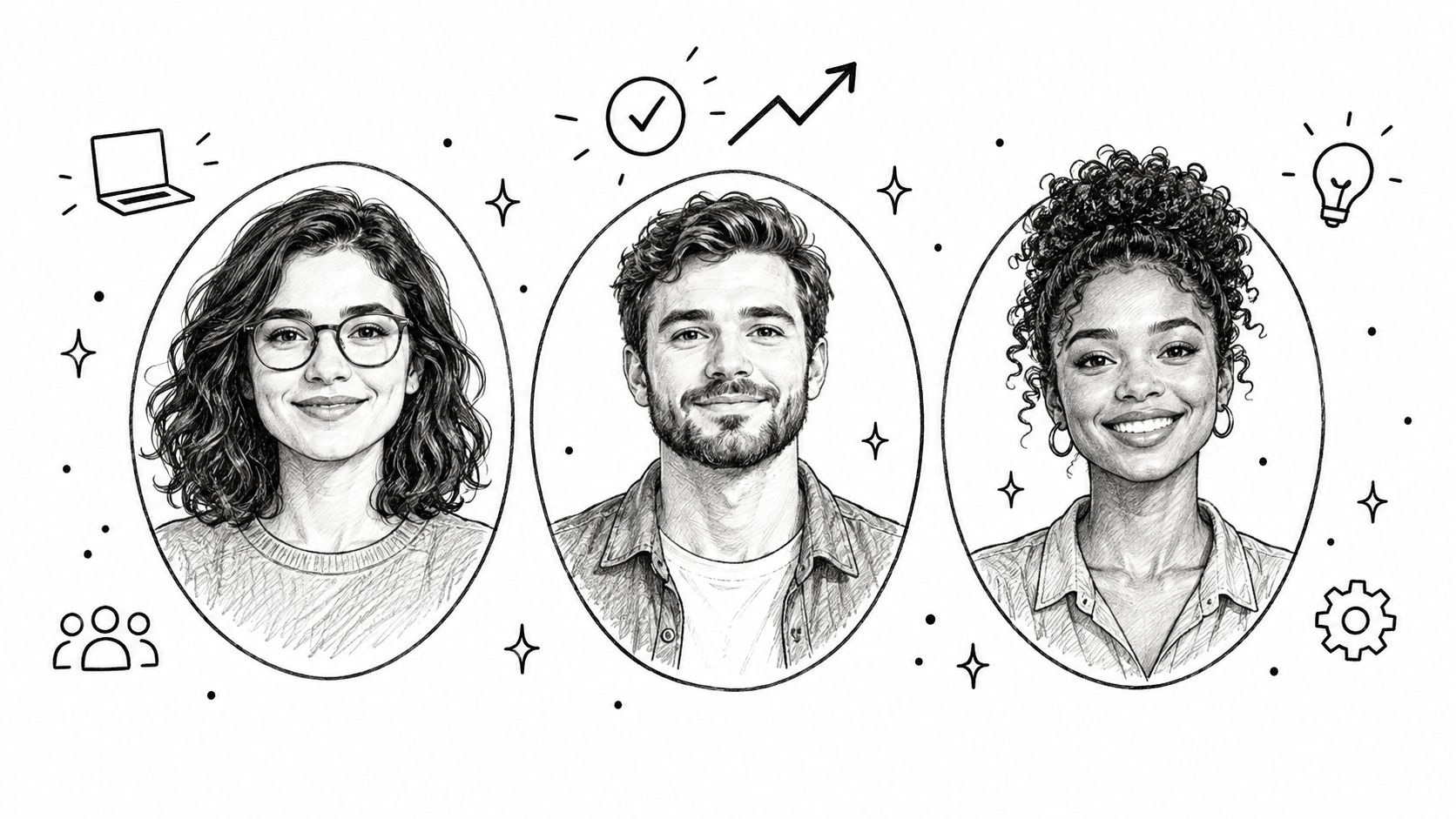
Example one, a technology team
The company establishes a neutral background, an upper-chest crop, business-casual styling, and an employee approval requirement. One engineer chooses a neutral expression for the company directory, while a customer-facing manager selects a warmer expression for a professional profile. Both images belong to the same system, but neither person looks forced into an identical pose.
The review team checks facial likeness, hair, clothing details, background cleanliness, and thumbnail performance. Employees reject outputs that look too airbrushed or introduce unfamiliar features. That feedback loop protects trust while keeping the overall process digital and repeatable.
Example two, a recruitment firm
A recruitment firm needs portraits for consultants who appear on LinkedIn, profile pages, proposals, and event materials. The firm uses a consistent background and crop, but permits employees to select different expressions and appropriate attire. The result feels like one professional directory rather than a set of unrelated personal photos.
That distinction matters because visual consistency shouldn't imply that every employee has the same personality. Clients want to recognize the person they may meet, not encounter a generic company avatar. A structured review process gives employees a meaningful role in preserving that recognition.
These examples also reveal what doesn't work. Asking everyone to upload one casual selfie, accepting the first generated result, and publishing without a privacy policy creates avoidable problems. The system may produce different facial interpretations, mismatched backgrounds, synthetic artifacts, or portraits that employees don't feel comfortable using.
A reliable corporate headshot setup treats generation as production, not decoration. Define the visual rules, collect useful source material, generate multiple options, inspect details, and record approval. That approach gives distributed teams a faster route to current portraits while preserving the human qualities that make a professional image credible.
Ready to replace scheduling friction with a repeatable AI portrait workflow? Create a team standard, collect varied source photos, and have each employee review an on-brand portrait before publication. Start with Secta Labs to generate and manage professional headshots for your team without organizing a studio day.
