Professional Dancer Headshots: AI Portraits for Casting
The most popular advice on professional dancer headshots, get more looks, is wrong. More looks don't help if a reviewer can't match them to the dancer who walks in. You need one approved base look that's unmistakably you, then every crop, size and market version derived from it. That's faster, cheaper and more convincing than a gallery of beautiful near-misses, and generative AI makes it practical today.
Headshot Sizes and Formats for Every Casting Route
Start with the print master, because everything else shrinks cleanly from it. The PhotographyShark dance headshots guide specifies an 8×10-inch print master at 300 dpi, plus an sRGB JPEG with a 1,000–2,000-pixel long edge for online submissions and an 800×800-pixel square crop for casting databases. It also puts recognizability first, with sharp focus on the eyes, a visible catchlight, even soft illumination and a neutral background.
Why the Master File Does the Work
Generate at high resolution once. A larger original keeps edges clean when a portal compresses your upload, while a small original turns soft and can't be rescued later. Leave space above the head and below the shoulders in the base composition, so the vertical, square and print crops never cut into your chin, forehead or hair.
Keep your eyes near the upper third in every crop. Reviewers scan thumbnails fast, and consistent eye placement makes your face land in the same spot whether they're looking at a database square or a printed sheet.
Say you approve one AI portrait on Monday morning. From that single high-resolution file you export the print master for a Friday audition, the portal JPEG for two online submissions, and the square crop for your agency profile. You don't generate the set again, you don't rebook anything, and every version shows the same face. The full-length file stays separate, because its job is alignment and technique, not identification. If you're also submitting as an actor, check the actor headshot requirements before you assume the same crop covers both routes.
That naming habit saves you at deadline. YourName-print-8x10, YourName-portal, YourName-square tells you instantly which file goes where, and you stop uploading the wrong crop under pressure.
Why Dancer Headshots Matter in Casting Hubs
Dance work isn't spread evenly across the country, and that concentration changes how hard your headshot has to work. The U.S. Bureau of Labor Statistics profile for dancers and choreographers reported 11,510 employed dancers in May 2023, with 4,870 in California, about 42.3% of the national estimate, and 1,670 in New York, approximately 14.5%. Together those two states accounted for roughly 56.8% of U.S. dancer employment.
What Concentration Means at the Review Table
Los Angeles-Long Beach-Anaheim employed 2,470 dancers and New York-Newark-Jersey City employed 1,320, so those two metro areas alone represented about 33% of the national estimate. A casting reviewer in either city can open dozens of dancer portraits in a single week. Each image gets seconds, not minutes.
Say you're a dancer in Los Angeles submitting to several calls in one week. Different reviewers, different portals, same question every time, does this person look current, clear and castable? Your portrait is the only first impression you control before anyone sees you move. An outdated hairstyle or a heavily styled image that doesn't match your face today costs you before the combination starts.
Generative AI fits this calendar because you can refresh a set when your look changes without booking a studio, coordinating schedules or waiting on delivery. Cut your hair, change your color, shift from classical to commercial submissions, and you generate an updated base look and re-export every format the same day. That speed matters most where submissions pile up fastest.
Check your target market. If you're submitting in Los Angeles or New York, assume your image sits in a large, polished pile and hold it to that standard. If you work outside those hubs, the same master files still serve you, and you'll often look more prepared than local competitors who rely on a single old portrait.
Choosing Still, Expressive or Moving Looks for Each Casting
The rule is simple. Recognizability first for casting, movement for portfolios. Your neutral headshot works like an ID badge: it gets you through the door. Your movement frames are the trailer that shows what you can do once you are inside. Confusing those two jobs is a common mistake that makes a submission harder to read.
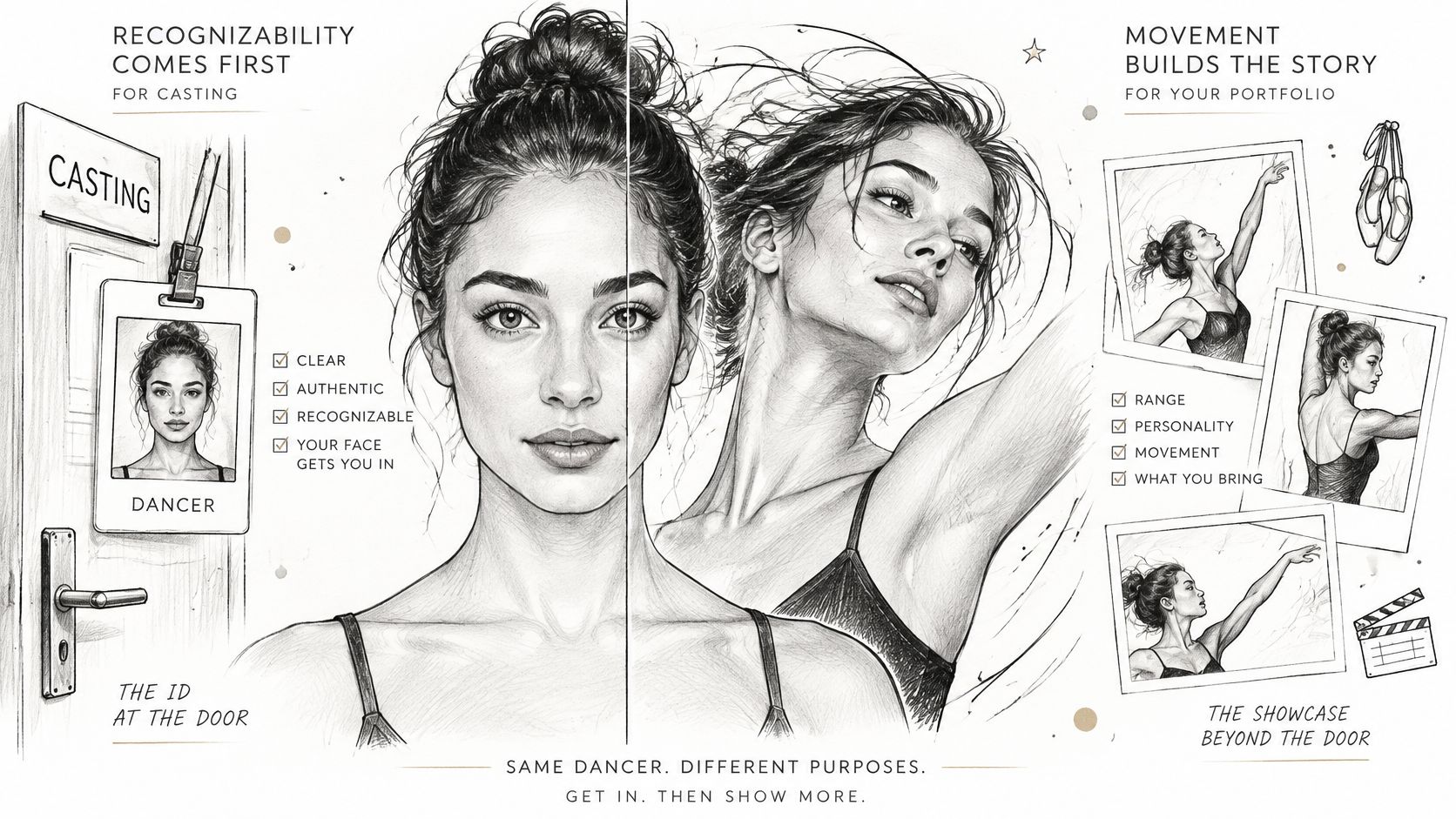
The Still Casting Look
For audition uploads, use a neutral to lightly engaged expression with eyes clearly open. Add a subtle smile only for musical theatre, where warmth and character carry more weight, and check the musical theatre headshots guidance if that is your primary market. Keep the jaw relaxed. A performance face reads as tense at thumbnail size.
Wear fitted, solid-colour tops and skip busy patterns, large logos and anything trendy that dates the image. Clothing should frame your face, not compete with it. Use soft, even front light that leaves a visible catchlight in both eyes. That catchlight is what makes your eyes read as present and engaged on a small screen.
The Expressive and Moving Looks
Portfolio movement frames play by different rules. Directional light can show the line of your neck, shoulders and arms, and a mid-motion frame carries energy a still portrait should not try to carry. Expressive character frames belong here too: brows lifted, smile broader, styling closer to the world of the piece.
Say you are a contemporary dancer building an agency portfolio. You generate a side-lit, mid-motion image that shows your line and quality for the portfolio page. For every casting upload that same week, you submit the front-lit neutral version from the same base look. The portfolio sells artistry. The casting image guarantees recognition. The face, hair and skin tone stay consistent across both, so neither file contradicts the other.
Generative editing makes this comparison cheap to test. You can change clothing, expression, background or lighting on one approved base look in minutes, then view the options side by side and keep only the versions that pass the recognition test. The decision becomes a comparison rather than a guess.
Building a Casting Package from One Base Look
Your headshot is one component of a submission system, not a standalone portrait. Theatre and company auditions may request a headshot, a dance résumé and a reel. Commercial casting may request only a headshot, a social handle, a form and a self-tape. If those assets don't match each other, the reviewer does extra work, and extra work rarely ends in your favour.
Reading the Matrix Market by Market
Ballet and classical companies want restraint, so keep the neutral head-and-shoulders look and add the full-body alignment image they use to judge line. Contemporary and commercial dance keeps a clean face with natural expression for casting, while stylised lighting and attire can carry your social profiles. Musical theatre needs a neutral-to-character range, because you're read as a triple threat, plus the 8×10 print for in-person sessions.
Agency and online casting stays front-facing and recognisable with minimal retouching, and the square database crop does heavy daily work. International submissions reward one consistent base look resized to each portal's limits, with backgrounds adjusted locally rather than a new face for every country.
Here's the contrarian point most advice skips. More images do not improve your casting odds. Excessive styling and heavy retouching lower recognition when you walk into the room, even while they make a portfolio look varied. A smaller set built on one honest face outperforms a large set that looks like five cousins.
Say you're a ballet dancer submitting to a company portal on Tuesday and an in-person audition on Saturday. You send the same neutral base look to both, cropped to each spec, with the alignment image attached where requested. The panel that shortlisted you online recognizes you instantly at check-in. That continuity is the whole strategy.
Generative AI makes this matrix manageable because each row becomes an export and edit task, not a new production. Change the background for one market, soften the light for another, crop square for a third. The face stays yours throughout, and you build the full package in an afternoon instead of weeks.
How to Generate Dancer Headshots with AI in Six Steps
You cannot prompt your way out of a bad source photo. Shoot or choose daylight photos against a plain background, with hair pulled back from the face and no filters. Clean source photos teach the model your actual features. Filtered ones teach it someone else's face.
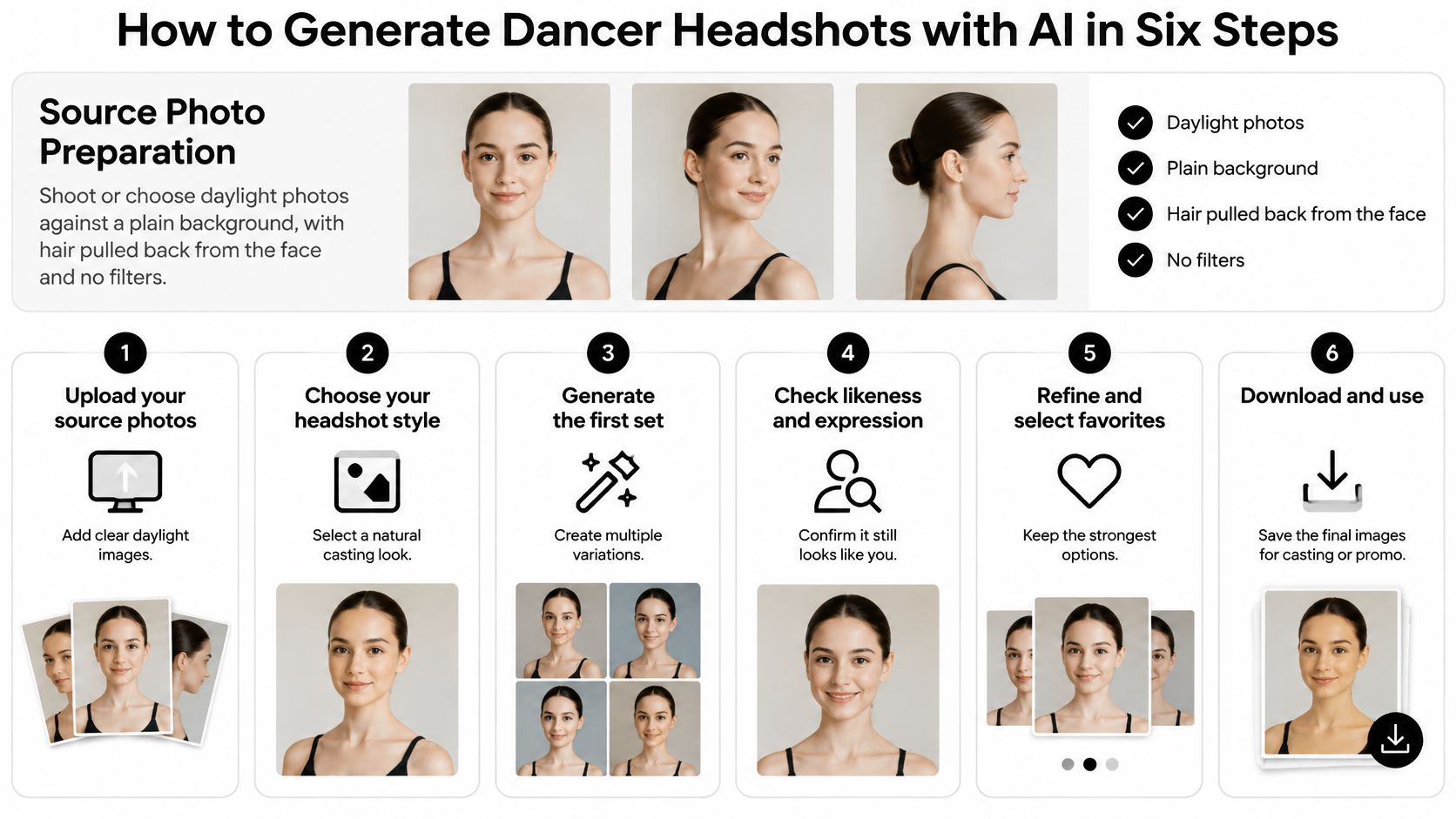
- Upload 10 to 20 clear, recent photos of your face, and select your gender in the same session. Secta accepts regular selfies or group photos, and you can upload photos or videos and then interact with the generated images, but single-person photos give the cleanest starting point. Skip filtered or heavily edited images that shift your skin tone and jawline before generation begins.
- Confirm your presentation baseline. Selecting your gender tells the model where to start, so generated looks match the presentation you submit with. Check this before you generate. Correcting a wrong baseline means starting the set over.
- Choose the style closest to your target casting. Pick a clean studio look for auditions, then a portfolio look that leaves room for movement. Do not choose the most dramatic style in the gallery. Choose the one a reviewer in your market would find familiar.
- Generate the set and compare every image against your reference photos. Check eye shape, nose, jawline and hairline before you react to styling. Approving the most flattering image instead of the most accurate one fails at check-in. Flattery that changes your face is not a headshot.
- Edit one thing at a time on the best base image. Change clothing, then look. Change background, then look. Change expression or lighting, then look. Single changes show you exactly what improved. Stacked edits hide which one broke the likeness.
- Save one master file, then crop copies for each casting route. Keep the approved base image, then use an image editor to produce the print, portal, square database and full-length versions at each route's specifications. Name every file by route. Skipping the master forces you to regenerate when a new portal asks for a size you did not save.
A finished set looks like this. One approved base look, four derived files, and a short note recording which upload photos produced the closest match. That note matters when you refresh the set in six months, because you can rebuild from your strongest references immediately. Treat the first generation as a draft, revise it, and commit only after the likeness holds.
Checking Likeness and Protecting Your Photos
A polished portrait can still be the wrong person. Reviewers match bone structure at check-in, not the lighting you liked. Approve one base look only after it still reads as you, because that master file supplies every casting format afterward.
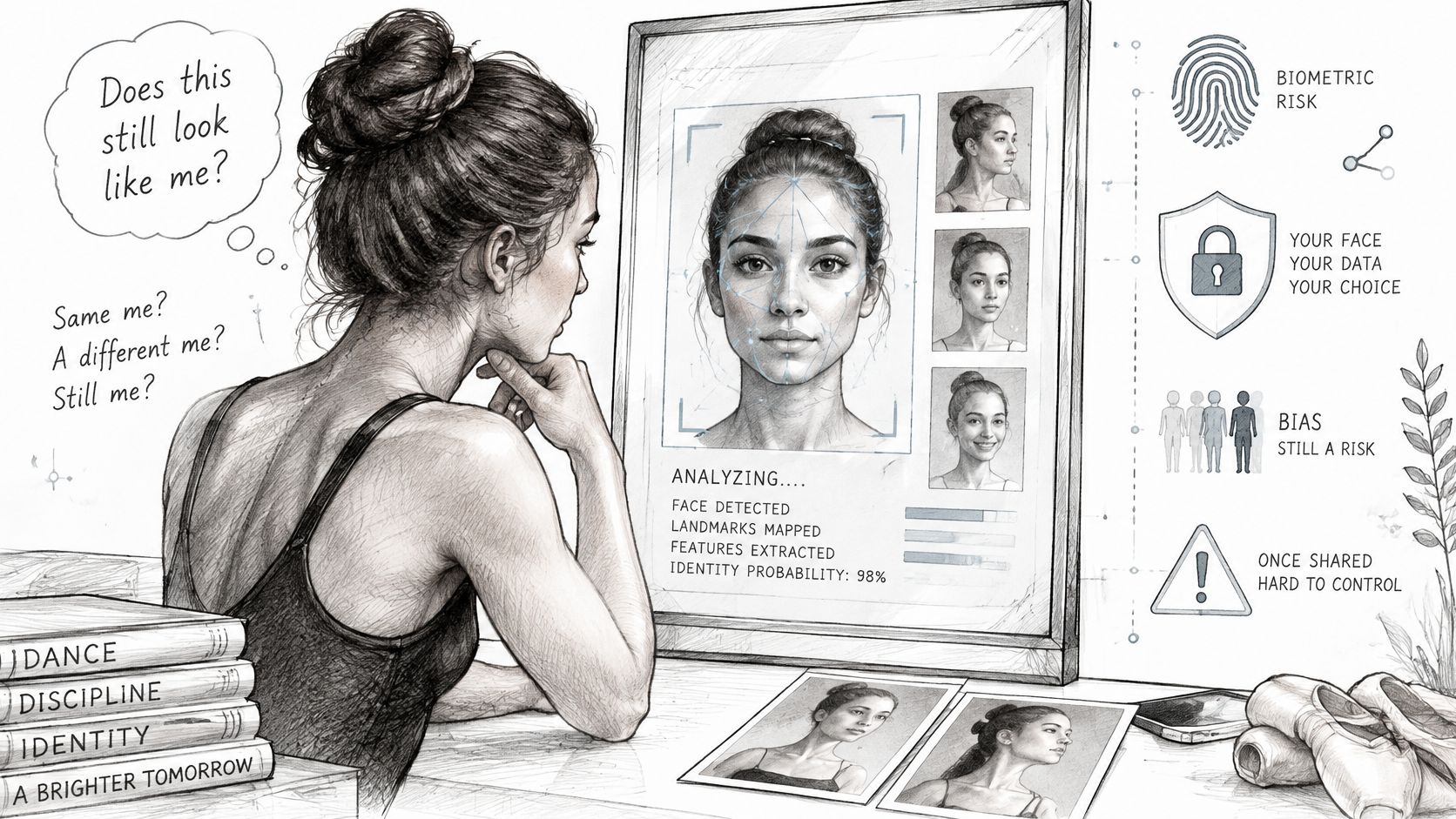
The Federal Trade Commission warning on biometric information states that biometric technologies using machine learning can create privacy, security, bias, and discrimination risks, and that companies should assess foreseeable harms and monitor systems continuously. For you, that means judging each output against your own features before a portal, print master, or square crop ever leaves the set.
Run This Checklist on Every Image
- Eye shape and spacing: Hold a front-facing reference beside the file. Memory is a poor judge.
- Nose, jawline and hairline: Reject a shift, even a small one. Reviewers match on structure.
- Skin tone and apparent age: Both should look like you under neutral light today, not younger, smoother, or warmer.
A dancer spots a jawline shift in three of ten images. Regenerate from a stronger reference set, ten clear, front-lit uploads with hair back, then run the checklist again. Fix the likeness on that one base look before you derive the print master, portal JPEG, square crop, and full-length file. A face error copied into every format wastes the whole package. Read the photo usage rights overview before you share files widely.
Treat uploaded photos as sensitive personal information, because they are images of your face. Before you upload, read how the service explains why images are collected, how long they are kept, and who can access them. You must be at least 18 years old, and of legal age in your jurisdiction, to generate professional headshots with us.
Ten minutes on the master file stops the same identity error from traveling into every crop and submission.
Choose Your Portfolio or Promo Set and Start Today
Decide which set you need first, because each one asks for different files. Don't build everything at once. Build the set your next submission requires, then derive the rest from the same base look.
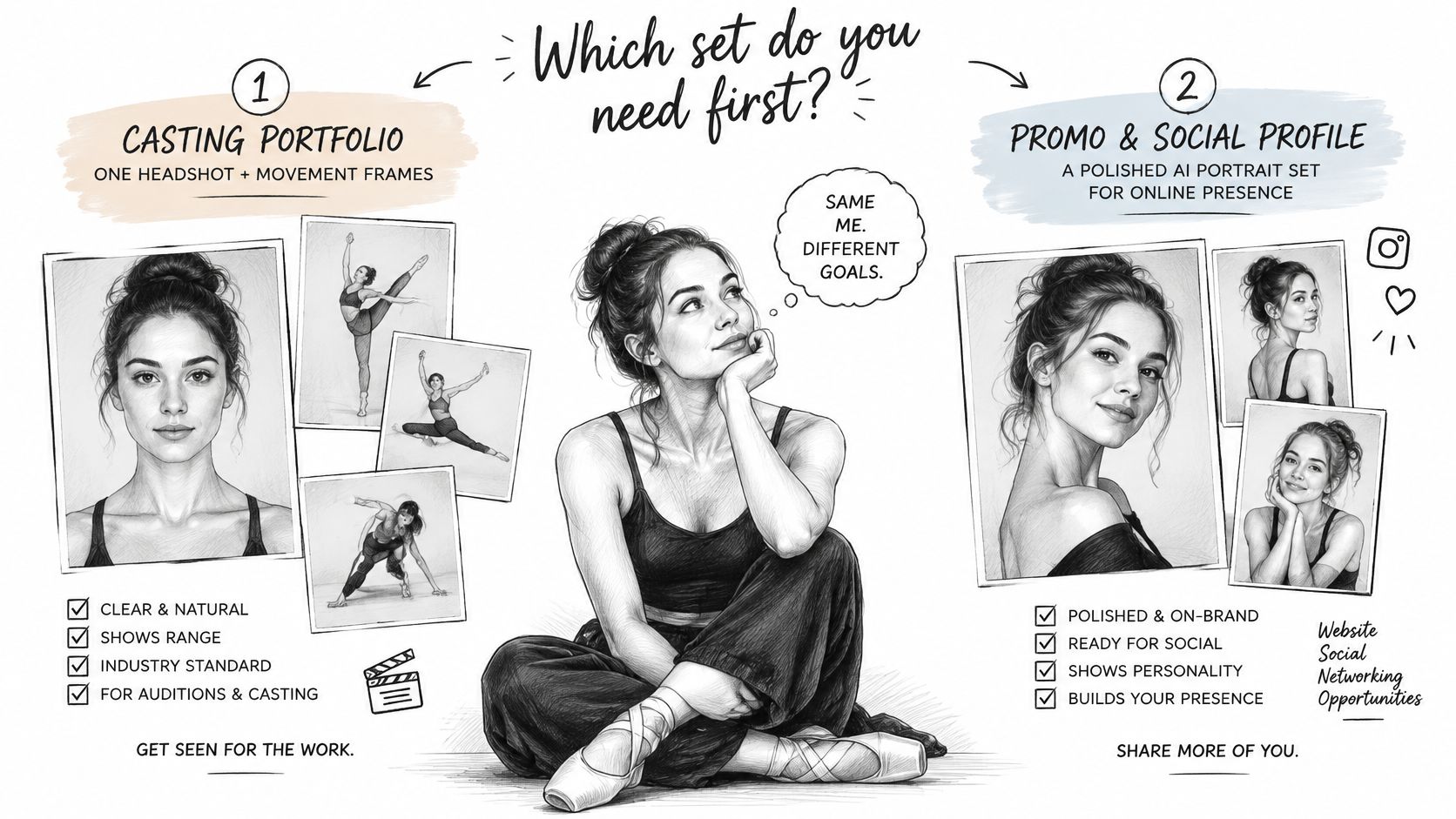
A casting portfolio pairs one neutral headshot with movement frames for your own submissions. That's your default if you're actively auditioning. A promo and social profile set uses an expressive headshot cropped square, built for feeds and programme bios where personality outranks strict neutrality. A team or agency page uses one consistent base look for every member, so the roster reads as one company rather than a collage of unrelated portraits.
Use the format requirements to settle the choice. If your next deadline is a portal upload, the portal JPEG and square crop come first. If it's an in-person call, the print master leads. If you're refreshing your public profile between contracts, the expressive square set earns its keep immediately.
One limit to respect. You may not use generated headshots for sale or for the benefit of any third party, so check the terms before any commercial reuse and keep sets for your own submissions and profiles unless the terms allow more. Our Professional Package includes 100+ HD photos, which gives you enough range to build all three sets from one generation session without paying for separate productions.
Once your base look passes the likeness check, generate the remaining looks from it, export every format, and name the files by route. Choose your first look today, because the submissions you send next week should already carry the right files.
Start your professional dancer headshots with Secta Labs today. Upload your daylight reference photos, approve one base look that passes the likeness check, and export your print master, portal JPEG and square crop in one session, so your next submission goes out current, consistent and recognisable.