Corporate Headshots Men: A 2026 AI Guide
51% of employers in a UK study conducted in 2020 had rejected a candidate because of appearance, according to BBC reporting on workplace appearance judgments. That's a reason to control your professional presentation, not a reason to generate a more attractive stranger and call him you.
The best corporate headshots men can generate start with a bias-aware brief: match the role through clothing, expression and setting while keeping the actual face intact. Our recommendation is straightforward. Generate a useful set, reject identity changes, and prepare credible variants for publication the same day instead of waiting for another sitting.
Corporate Looks Men Should Generate by Role
A strong corporate portrait starts with a clear brief: head-and-shoulders framing, a restrained expression, even facial light, a quiet background and clothing one step more formal than your daily default. Choose the role cues that fit your work, while keeping the man's real face unchanged. Vague prompts such as “successful businessman” invite generic faces, exaggerated shoulders and invented status symbols.
Men's corporate generation brief by role
For finance, law and consulting, aim for composure without severity. A dark jacket and pale collar provide enough structure. Keep the jaw relaxed, and skip the theatrical boardroom setting. Use this portrait where prospective clients expect measured judgment, such as proposals and firm bios.
For technology and product, keep the wardrobe close to how you work. An open collar or fine knit reads more credibly than a formal suit you would not normally wear. A light-gray background makes a sensible LinkedIn and team-page choice because it keeps attention on your face.
Transforme a sua imagem profissional
Obtenha instantâneos profissionais impressionantes gerados por IA em menos de uma hora. Carregue selfies normais ou fotografias de grupo, escolha entre mais de 100 estilos e nós criaremos centenas de fotografias perfeitas que representam o seu melhor.
Choose the context before the expression
The sales portrait should look ready to greet someone. Use a warmer smile for outreach, and keep a calmer alternative for procurement proposals. The role-based pipeline support from Grou is not a portrait-styling resource, so choose the image brief according to the audience and the setting where the photo will appear.
For an executive, let architectural detail support the face rather than compete with it. A refined hallway works when its lines stay soft and unobtrusive. Compare leadership styling in this executive headshot guide, then choose a setting that signals authority without turning the portrait into a display of luxury.
The founder frame should feel direct and unforced. Choose a simple shirt or unstructured jacket against a modern office, and avoid backgrounds that imply premises or credentials you do not have. The setting should support the role, not fabricate a biography.
A usable headshot helps make a profile feel complete. In 2024, 74.4% of 1,087 U.S. recruiters surveyed by Ringover said they were more inclined to interview a candidate whose profile included a headshot, according to Capturely's account of the survey. Treat that as a reason to have a credible image ready, not to disguise yourself.
Generate several expressions from the same identity: approachable, neutral-confident and slightly formal. Keep the face consistent across the set, then publish the variant that suits each role and audience.
Why a Generated Portrait Moves Faster
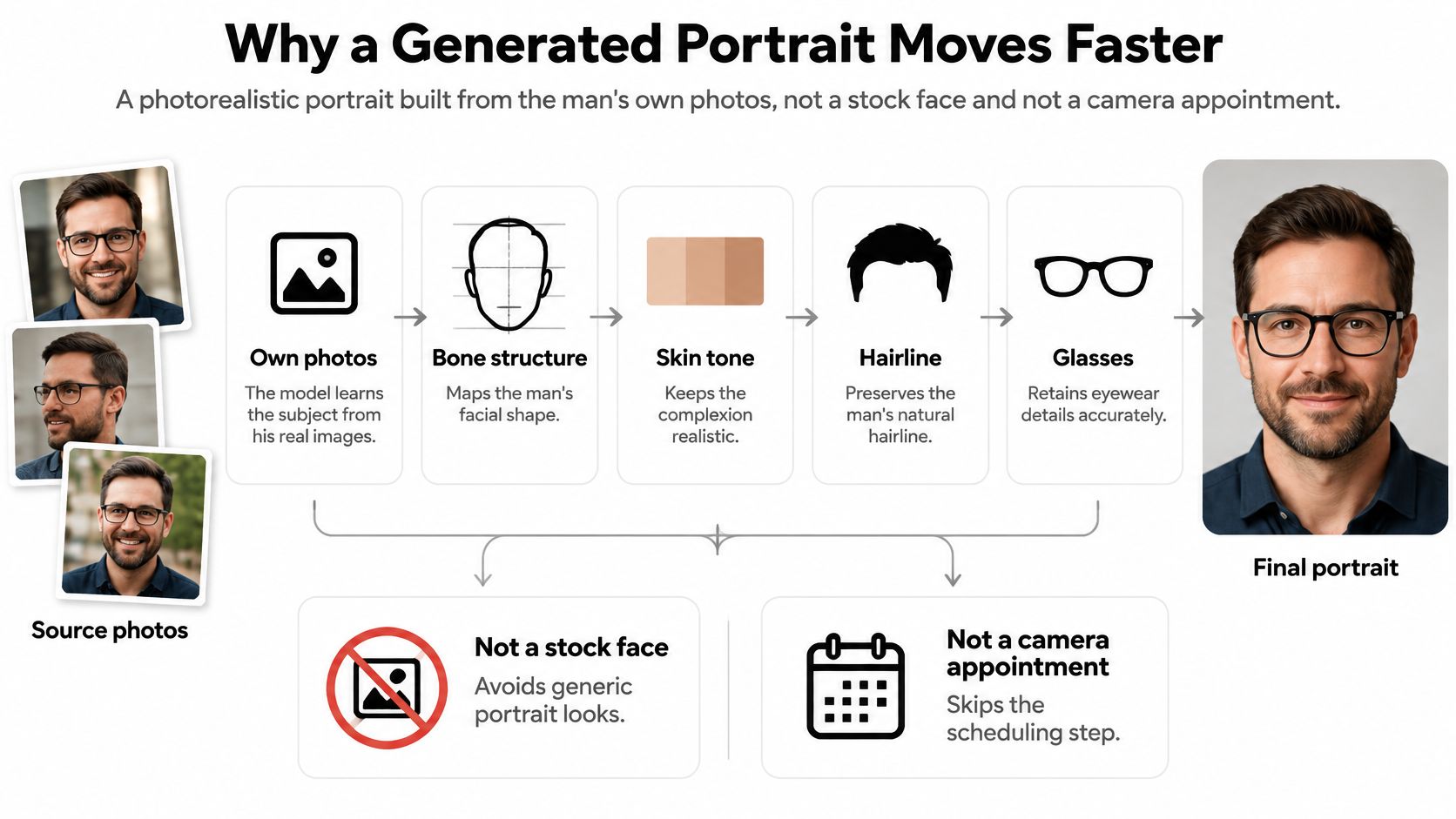
A generated corporate headshot is a photorealistic portrait built from your own photos. Your source images establish the identity to preserve: bone structure, complexion, hairline, glasses and beard. Clothing, lighting and backdrop can change to match the role, while the man's real face stays recognizable.
Upload regular selfies or group photos, then provide 10 to 20 photos, select your gender and choose a business style. Use clear, current images so you can assess whether the results represent you accurately.
The workflow separates identity from presentation.
Build a set rather than a single replacement
Request a neutral corporate frame, a business-casual alternative and a formal executive version in one generation session. You can review several credible options the same day instead of arranging separate appointments and wardrobe changes for every channel. Keep the identity consistent, then choose the role cues that fit each use.
The visibility case is substantial, but keep the claim precise. LinkedIn data reported in 2024 indicated that profiles with photos receive up to 21 times more profile views and 36 times more messages than profiles without photos. This compares profiles with and without photos. It does not show that generated portraits outperform other images or guarantee employment.
Traditional shoot versus generated set
A traditional sitting can produce multiple usable files, so compare it fairly with a generated set. The practical advantage is avoiding a new appointment when you need another credible expression, outfit or background. Choose the team price that matches the group size.
Before publishing, shrink each candidate to profile-thumbnail size. Check that the face remains recognizable, the shoulders look balanced and the background stays unobtrusive. Reject any version whose expression turns into a grimace at small scale.
Generate, inspect and publish the approved set without treating faster production as a promise of a job.
Expression Clothing and Light That Signal Competence
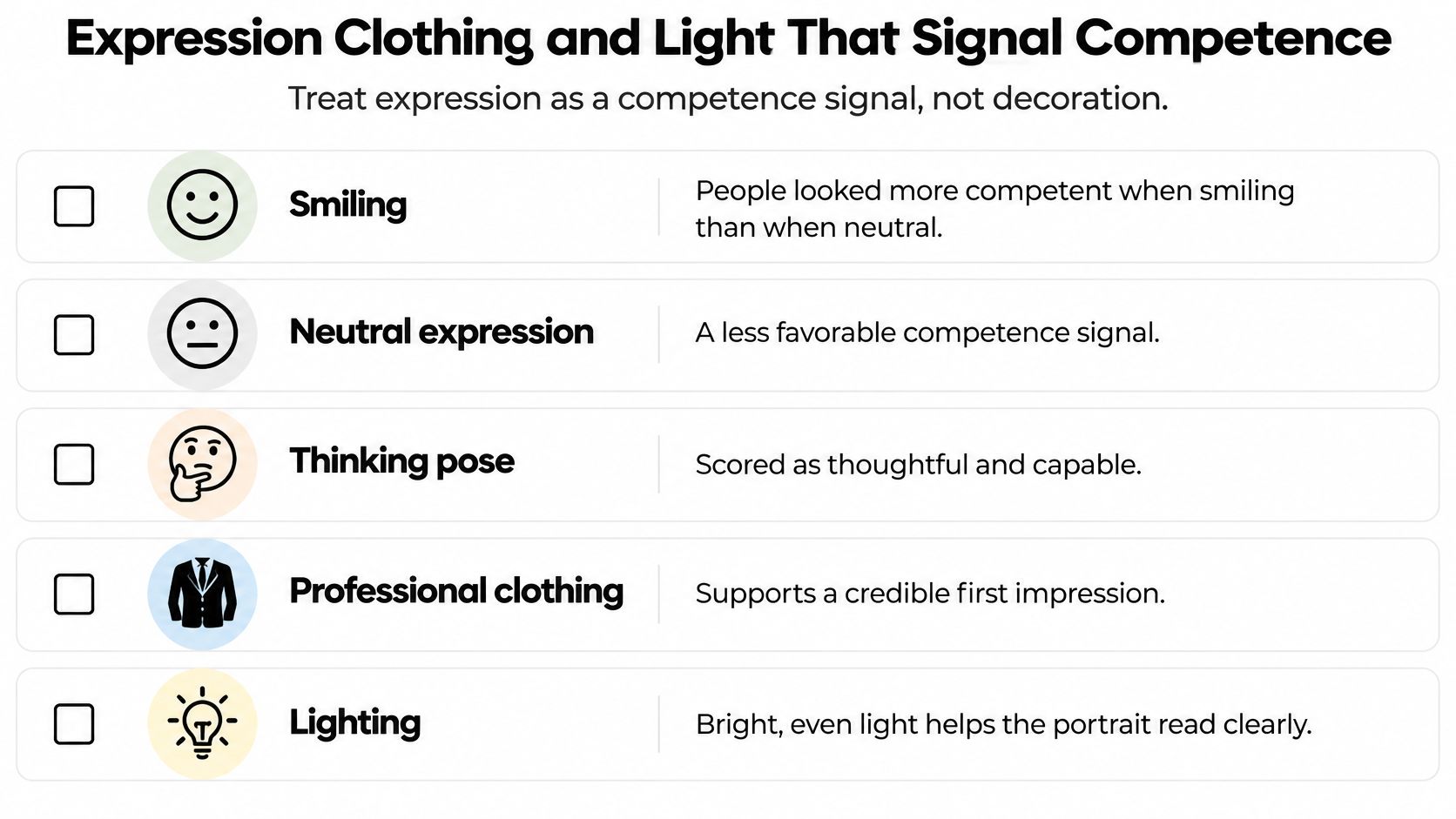
A peer-reviewed study of professional portraits found that subjects were perceived as more competent when smiling than when neutral, while a thinking pose received the lowest competence ratings. The effect persisted among software professionals, and only 10% of participants believed employers were hardly ever influenced by an applicant's face.
That's a strong reason to stop using sternness as shorthand for expertise. In a generated portrait, a narrowed stare and rigid mouth can make the result feel combative. Request controlled warmth instead: a small genuine smile, an unclenched jaw and eyes directed toward the viewer.
Use the visual checklist to inspect presentation, but reject the staged thinking pose. The study's result favors a smile, not a hand-to-chin performance.
Keep the face relaxed and the light even
Inspect the mouth before judging the outfit. Keep a smile when the cheeks and eyes participate naturally; discard a stretched mouth paired with unchanged eyes. Check that generated teeth remain plausible and that the lips don't merge into the beard.
Give your next generation concrete directions:
- Face: Restrained genuine smile, relaxed jaw, direct eye contact and upright, lowered shoulders.
- Light: Even illumination across the face, a soft catchlight and no heavy shadow beneath the eyes.
- Color: Natural complexion without a blue, orange or green cast.
- Posture: Comfortable alignment, not an inflated chest, elongated neck or exaggerated jaw thrust.
For example, an engineering manager can request identical clothing and background with different mouth positions. Comparing those outputs side by side makes the choice easier because you're evaluating expression rather than being distracted by a new setting.
Simplify clothing without rewriting grooming
Solid jackets beat thin stripes and loud checks in a small profile crop. Request a collar that sits flat, lapels that meet cleanly and fabric that looks like fabric rather than painted texture. Inspect the neckline for invented layers or seams before accepting the result.
Keep grooming current. Don't create a younger hairline, remove a beard you wear, or smooth skin until every crease disappears. A polished collar is presentation; a different face is misrepresentation.
Save an approachable smile, a neutral-confident option and a slightly formal expression under clearly named files. The formal version should reduce the smile, not add hostility. For a consultant, that means a warmer LinkedIn image and a more composed proposal image can coexist without either looking like a different person.
Testing these differences within one batch is easier than discovering after publication that your only usable frame feels too cold. Stop adjusting once the face is believable, the expression suits its destination and the generated details survive close inspection.
Portraits for LinkedIn Sales and Leadership
Say a product leader is updating his professional presence while preparing to advise clients. He doesn't need a different digital identity for every responsibility. He needs a consistent face presented appropriately for each audience.
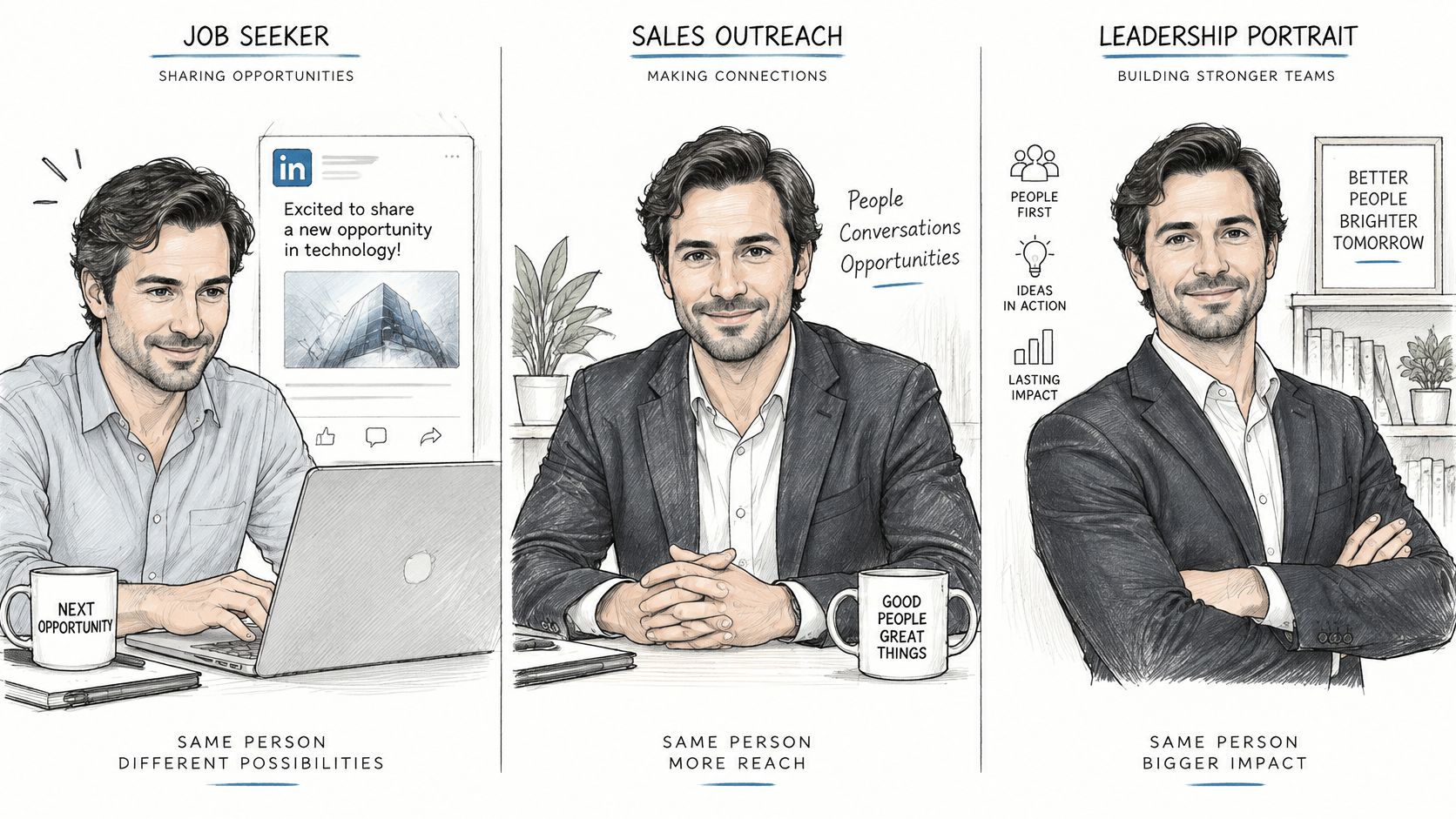
For his LinkedIn profile, he selects the light-gray technology version: open collar, slight smile and an uncluttered crop. He checks the circular preview before uploading so neither his chin nor the top of his head gets cut awkwardly.
For sales outreach and proposals, he chooses the warmer expression with a solid mid-tone jacket. The face remains identical, but the presentation feels more conversational. He avoids an elaborate office because a prospective client should notice him, not speculate about the scenery.
For the leadership page, he selects the quieter executive frame against a softly rendered hallway or frosted-glass office. He matches the company's existing crop instead of uploading the widest, most dramatic image in his gallery.
These are different deployments of one recognizable identity.
Turn perceived fit into a consistent team standard
A Harvard Business School analysis of 160,014 freelancers found that people who appeared to fit the occupation were more likely to be hired. For programmers, facial cues, including gender, race and smile, were important predictors of perceived fit, followed by background and accessories.
That finding exposes bias; it doesn't justify generating a preferred demographic appearance. A company should standardize the controllable presentation details and leave identity alone.
Use a shared approval standard:
- Crop: Head and shoulders, with consistent head size and breathing room.
- Illumination: Readable faces without dramatically different shadow patterns.
- Background: A clean visual family rather than identical invented office furniture.
- Formality: Jackets for client-facing contexts, polished business casual for technology roles.
- Identity: No changes to facial structure, racial features or natural skin texture.
For a distributed company, our team headshots can be generated for employees wherever they're located. A marketing manager can issue the same generation brief across offices, then review the outputs together instead of accepting a mixture of bedroom selfies and unrelated portrait styles.
Give reviewers permission to reject inconsistent lighting, not someone's baldness, glasses or cultural dress. Ask employees to confirm their own likeness before the marketing team approves the brand treatment.
Generating the set once, then approving the matching crop for each channel, is quicker than coordinating a separate shoot in every office. It also provides the company with a repeatable standard for the next hire.
Honest Faces and a Five-Step Identity Check
A polished headshot can still create doubt if it no longer looks like the person using it. In a 2024 Ringover survey of 1,087 recruiters, 66% said they would be put off by a candidate's AI-generated headshot after learning it was fabricated, according to the published survey account. Treat that response as a reason to keep the image recognizably yours, not as a reason to avoid useful styling.
Write the generation brief around presentation, not correction. Improve the crop, clothing, lighting and background to suit the role. Keep your age, skin tone, racial features, weight, hairline and bone structure true to life. A good corporate portrait signals competence through clear eyes, a composed expression and professional styling. It should not reshape your face to fit a generic ideal.
Glasses, a beard, baldness, cultural dress and natural body proportions are part of how colleagues and clients recognize you. Removing them can make an image look more conventionally polished while making it less credible. Reject that trade.
Check identity before uploading the final file
The OSAC reference document on generative facial-image processing warns that generative tools can introduce artifacts, distort facial details and produce results that vary with training data. It also cautions that outputs may not accurately represent racial features or age. Review the face as carefully as the styling.
Use this five-step check before publication:
- Generate several business styles from the same uploads. Compare a plain corporate frame, a business-casual version and a formal option. Choose the role cues that fit your work, then check whether each version still depicts the same person.
- Place each candidate beside an original photo. Compare forehead shape, eye spacing, nose, jaw and ears. Check skin tone, age cues, glasses, hairline and beard, too. Look for the small asymmetries that make the face yours; artificial perfection is not the goal.
- Discard identity-changing frames. Reject results that alter race-related features, make you look much younger, remove glasses you wear daily or invent hair. A sharper jaw, narrower nose or lighter complexion is not a fair price for better lighting.
- Apply the video-call recognition test. Ask whether someone who knows you would recognize you immediately in a meeting. If the portrait needs an explanation about an outdated appearance or a flattering transformation, choose another candidate.
- Save the tool and edit history with the approved file. Record how the image was generated and what changed. When available, retain signed provenance as a record of the workflow, not as proof that the face is accurate.
Use these headshot quality assurance standards alongside the original photos. A consistent review process turns “looks best” into specific decisions about likeness, expression and role fit.
Preserve evidence without confusing it with truth
Adobe Research's explanation of Content Credentials describes cryptographically signed metadata that can record the application used, edits made and generative AI participation. Invisible watermarking and image fingerprinting can add to that record.
Provenance records how an image was made. It does not confirm that every facial detail is faithful. Keep both checks: a human likeness review and a record of the approved image's creation.
A man who recently shaved a long beard may find that older uploads lead to portraits that restore it. Use current images and regenerate rather than repeatedly editing individual beard hairs. The same standard applies after a substantial change in hair, weight or appearance: update the source photos, then keep the portrait honest to the person's current face.
A new role can justify different clothing and surroundings. It cannot justify changing physical features to suggest seniority. Stop when approachable, neutral and formal variants all pass the identity check. Several credible options give you a ready-to-publish set without waiting for a reshoot, while endless polishing only creates more chances to lose the likeness.
Whether to Disclose a Generated Headshot
Decide how to describe a generated image before publishing it on a company page or in a client document. A polished result is not a reason to imply that the portrait came from a real photo shoot. Keep the explanation proportionate to the audience and the way the image will be used.
LinkedIn's discussion of online authenticity concerns identity verification badges, not comparisons between generated portraits and professional photos. Don't use it to support claims about study results or how viewers rate AI images. Instead, make the disclosure decision on the facts viewers need: whether the image is generated and whether it accurately represents the person.
Match disclosure to the publishing context
- Job seeker on LinkedIn: Keep a record of how the portrait was created. Answer questions and follow any applicable platform or employer requirements.
- Sales lead in a proposal: Add a brief note in the document or retain the image's creation information so the team can respond consistently if a client asks.
- Executive on a leadership page: Use a short caption stating that the portrait was generated from the subject's own photos.
A clear caption works: AI-generated portrait based on the subject's own photos. Avoid wording that suggests the image documents an office visit or event when it does not.
Use this guide to AI image detection for additional context when evaluating generated images. Keep the approved image and its creation information together, so the team can explain the process without having to reconstruct it later.
Disclosure should clarify the image, not excuse changing the person's identity. A generated portrait that preserves the subject's recognizable face and is described clearly gives viewers a fair basis for understanding what they are seeing.
Start a Corporate Set You Can Publish Today
Choose the role, generate the keepers and run the face check. Don't postpone a usable professional profile while searching for a single portrait that somehow serves every audience.
Start with Secta Labs. Our Corporate style creates a clean, polished corporate portrait that highlights leadership and approachability, making it a practical choice for client-facing and executive contexts. The Special Offer promises AI-generated professional headshots in under an hour, but leave time to inspect the results before publishing.
Give the company one approval workflow
For a team, follow the setup sequence in order:
- Set up the brand kit. Establish the visual direction before employees begin.
- Invite team members. Give everyone the same identity-preserving expectations.
- Run batch generation. Produce the team's headshots together.
- Review and approve. Separate likeness approval from brand approval.
- Download and deploy. Assign approved files to the directory, leadership page and other intended channels.
That sequence keeps lighting, crop and background aligned without gathering employees in one city. It also gives the person responsible for publishing a clear handoff instead of a folder full of unreviewed favorites.
Publish a recognizable professional
Keep your current hair and beard, real glasses and actual bone structure. Retain an approachable, neutral and formal option, but reject any version that needs an explanation when someone meets you.
You must be at least 18 and of legal age in your jurisdiction to generate professional headshots. Outputs are for your own professional use, not for sale or for the benefit of a third party.
Upload your selfies, select the corporate look that suits your role and inspect each candidate beside a current original. Reject any face you wouldn't recognize on a call, then publish the approved crop on the profile that needs it today.